Purpose-built for the drawings you keep for decades.
Lunr puts every drawing under revision control, makes the text inside a scanned drawing searchable, opens CAD and BIM in the browser, and finds documents by where they sit on a map. Here is what each part of the platform does.
Every revision under control, from delivery through operation.
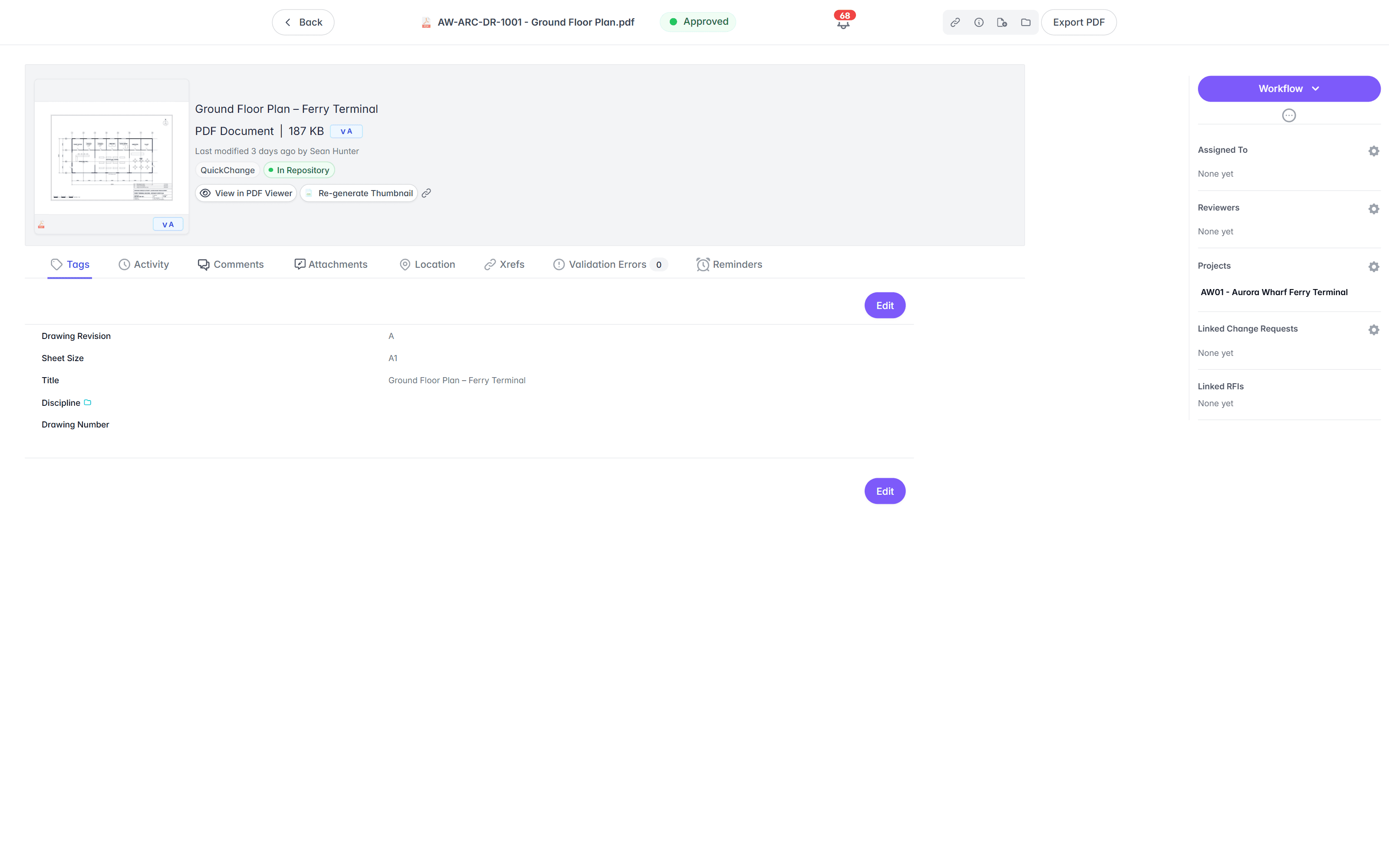
Classify documents by folder, tag, and portfolio, then keep every revision numbered, approved, and audited. The controlled version is never in doubt, from the first draft to the as-constructed set.
- Controlled documents with approvals and a full audit history.
- Automated document and version numbering, applied on upload.
- Revision control, so the superseded copy is never mistaken for the current one.
numbered automatically on upload · version incremented on each revision
- Classify by folder for hierarchical browsing.
- Tag documents for grouping, reporting, and search.
- Set tag-based permissions, for example every electrical document on the Melbourne campus.
- Group the repository into portfolios for targeted search.
revision control · folder classification · document tags · tag-based permissions · automated numbering · revision compare · printed QR links · portfolios · audit history
Compare two revisions.
Lay one revision over another and see exactly what changed. Compare side by side or as an overlay, on drawings and PDFs, so a review reads the difference between REV B and REV C at a glance.
- Overlay one revision on another, with every change picked out.
- Compare side by side, or flip between the two.
- Works on drawings and PDFs.
Print a sheet that links back to the record.
Print a drawing with a QR code in its title block. Scan it on site, and Lunr opens the live controlled document, so you always know the sheet in your hand matches the current revision.
Bring the whole project in. Keep the record clean.
Run project spaces with the approvals your process requires, and take handover that arrives complete. Lunr is a common data environment (CDE) when your projects require one.
- Project spaces that gather the right documents and the right people.
- Document workflow with the approvals and sign-offs your process requires.
- Handover that runs through Lunr, so the as-constructed set arrives complete.
- Notifications keep reviewers and approvers informed at each step.
- Draftcreated · A. Chen
- In review2 reviewers assigned
- ApprovedR. Okafor · 14:32
- Issued for constructioncurrentREV C · notified 3 collaborators
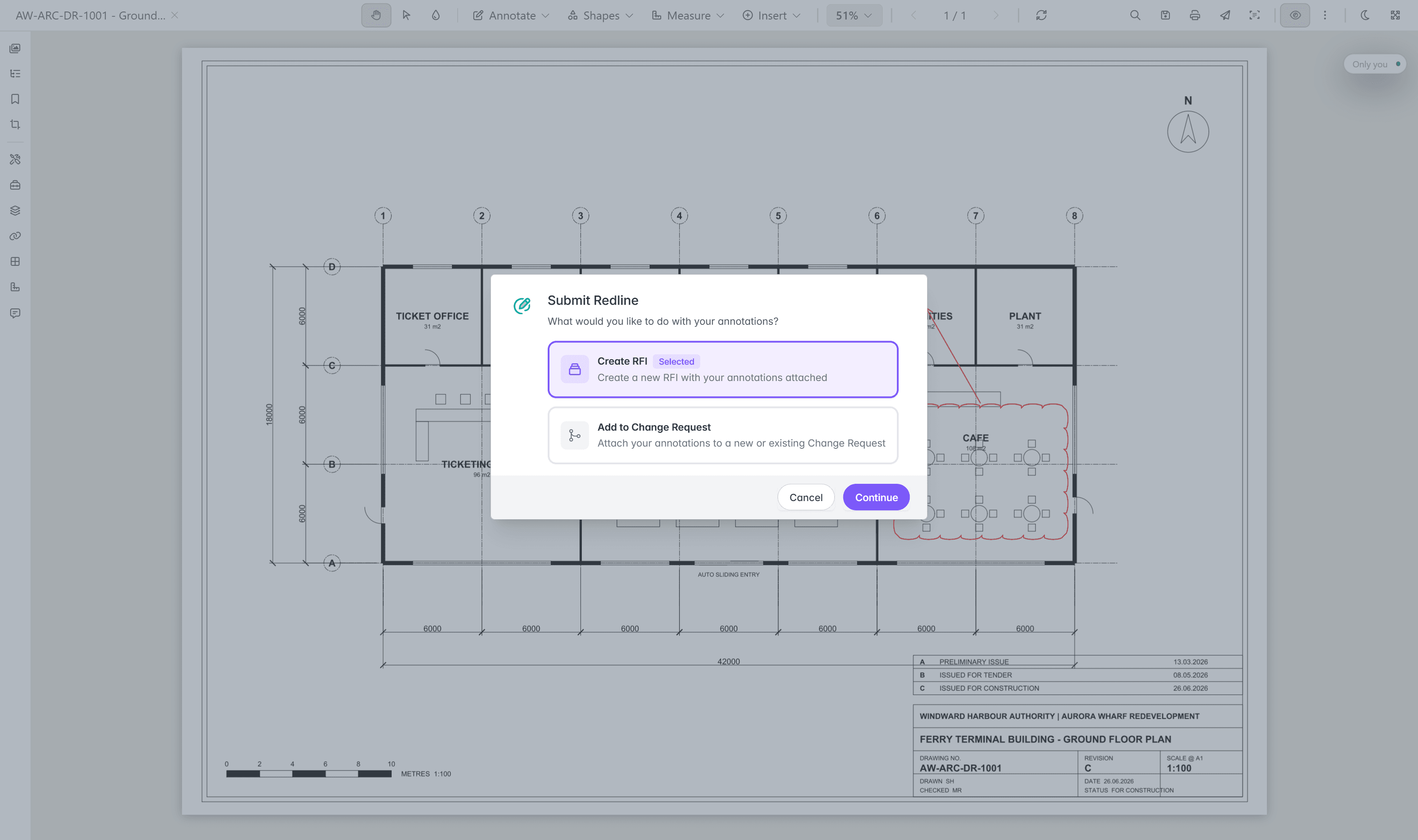
- Raise RFIs and change requests straight from a markup.
- Redline and comment on a drawing in Signal, without leaving the browser.
- Issue transmittals and track what was sent, received, and acknowledged.
Users and Collaborators.
Your own team are Users. Contractors and consultants join as Collaborators through transmittals, RFIs, and project spaces, and see only the documents you grant them by tag.
project spaces · RFIs · transmittals · Signal redline · workflow and handover · notifications · Users and Collaborators
- SUR-1001.dwgSurveyshared
- SUR-1002.pdfSurveyshared
- EL-4001.dwgElectricalinternal only
- ST-2001.dgnStructuralinternal only
Search the text inside the drawing.
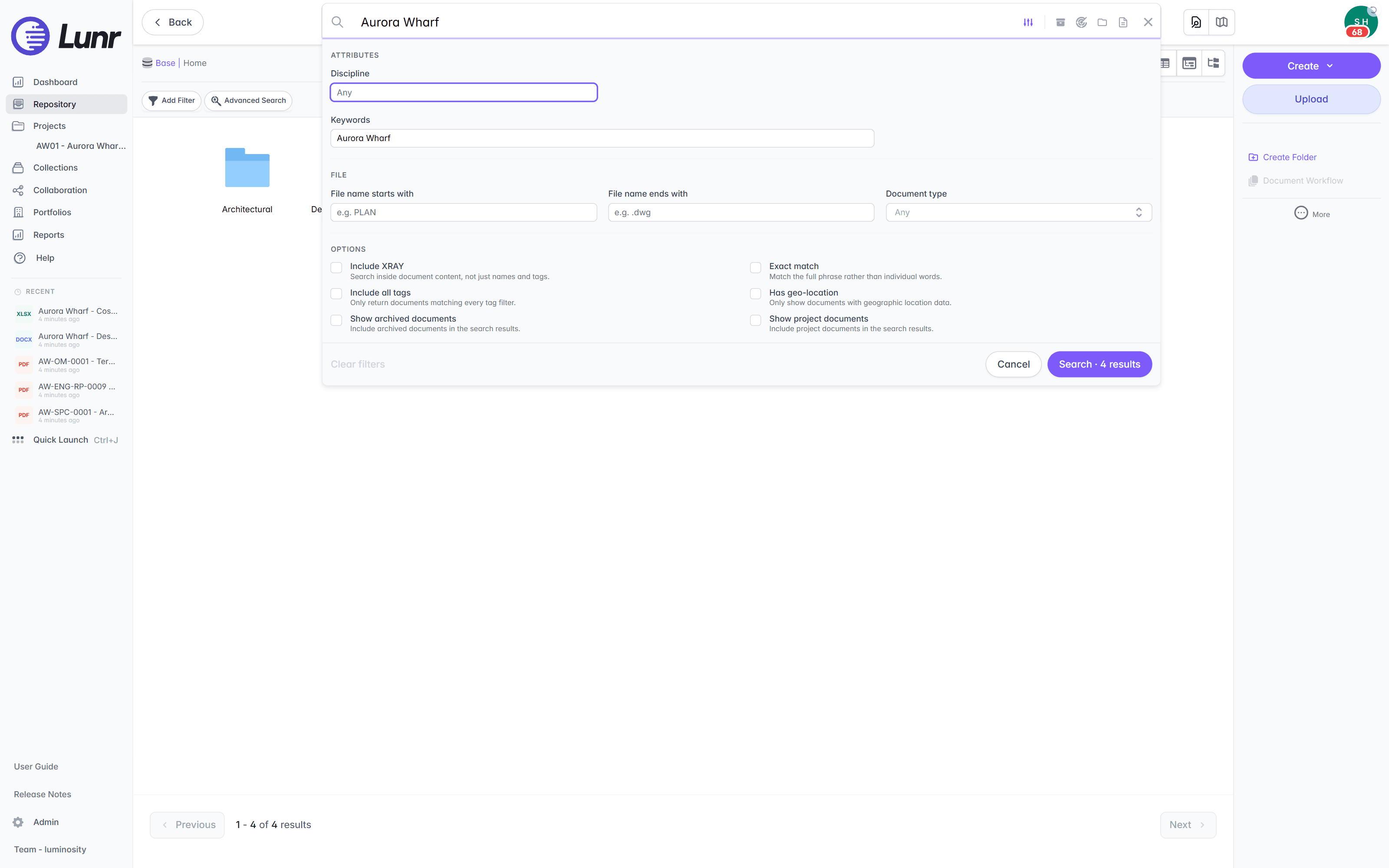
XRAY runs OCR and AI across everything you store, so a valve tag from a 1994 scan turns up as fast as a file you saved this morning. Incumbent search reads the filename. XRAY reads the drawing.
full-text OCR and AI · DWG · DGN · RVT · PDF · Office · scanned images · deep xray tiled re-scan · advanced search · wildcard and boolean · tag filters
go deeper /XRAY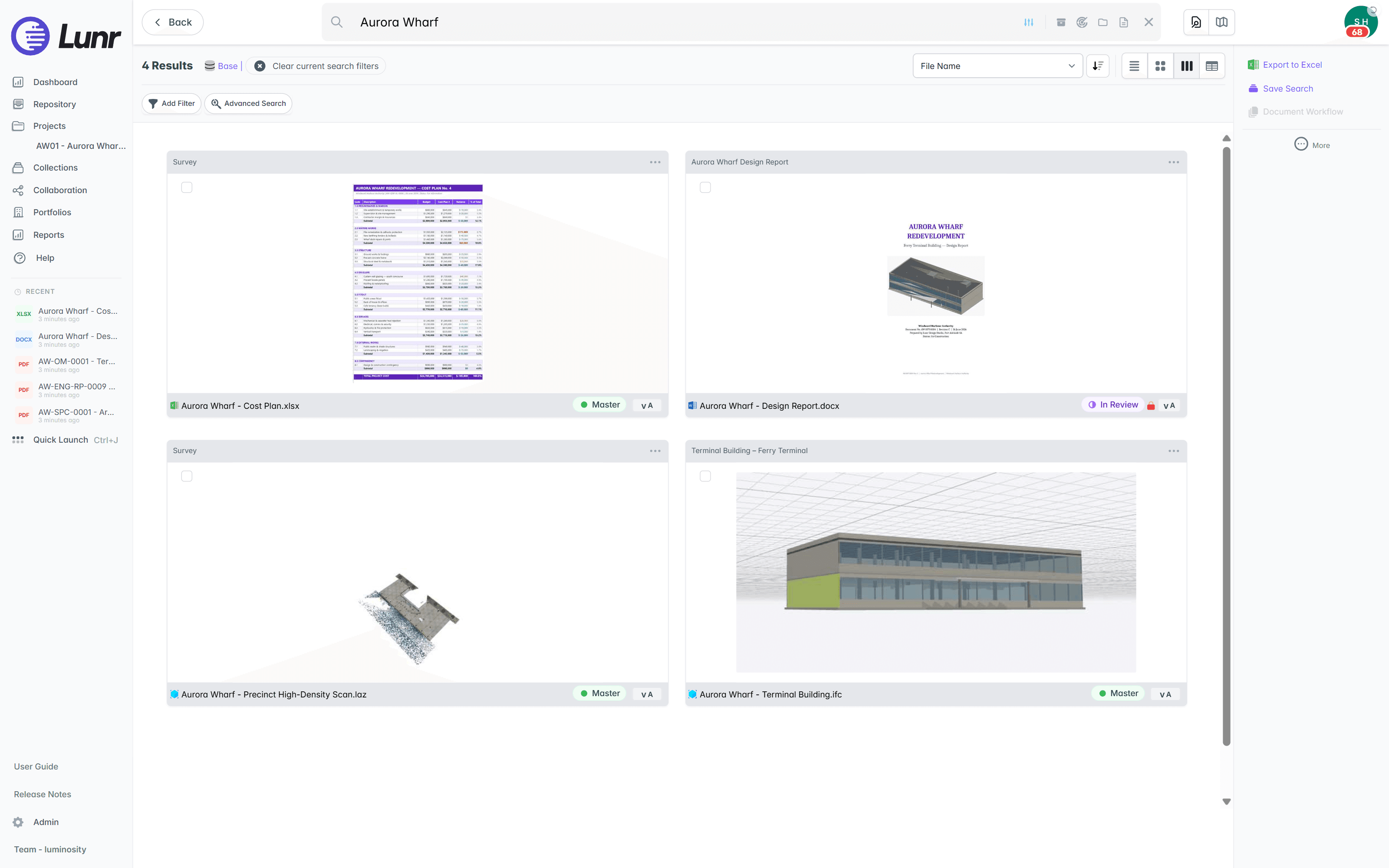
- Full-text search across file names, titles, tags, and document content.
- Deep XRAY re-reads a dense drawing in high-resolution tiles, from 2×2 up to 4×4, so faint or crowded text still resolves.
- Configure advanced search around the tags and metadata that matter to your data.
- Run wildcard and boolean queries, then narrow with tag filters.
Open a DWG in a browser tab.
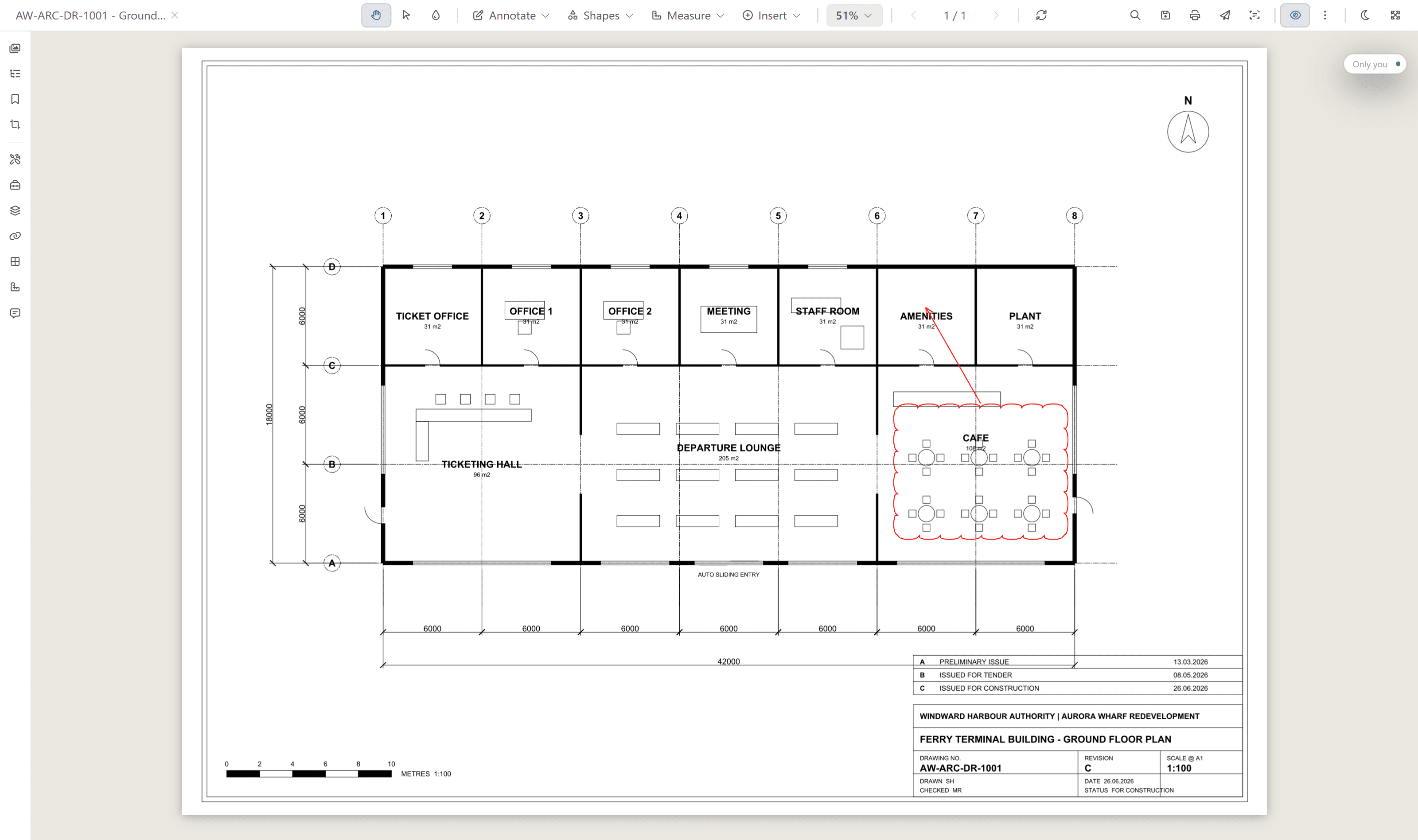
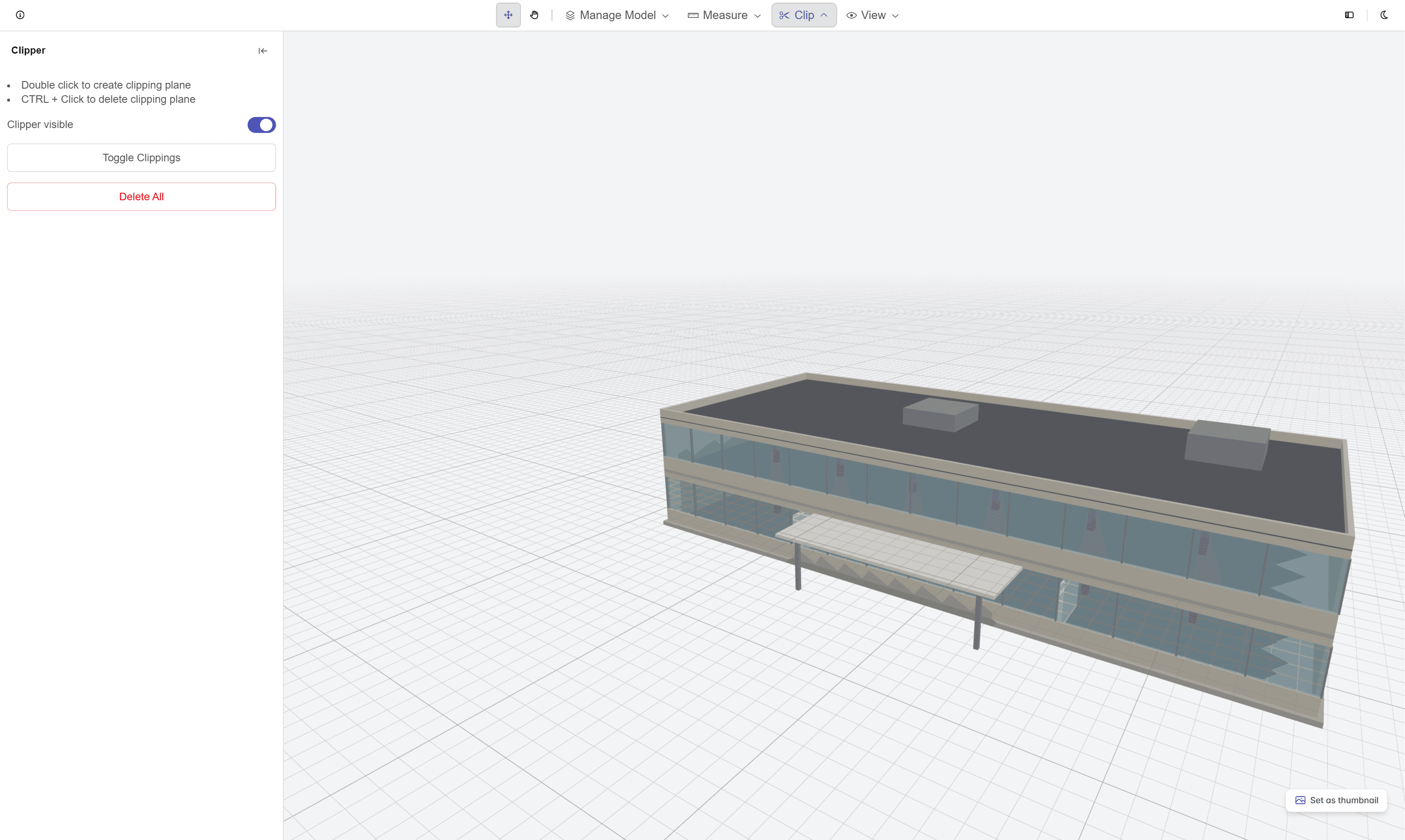
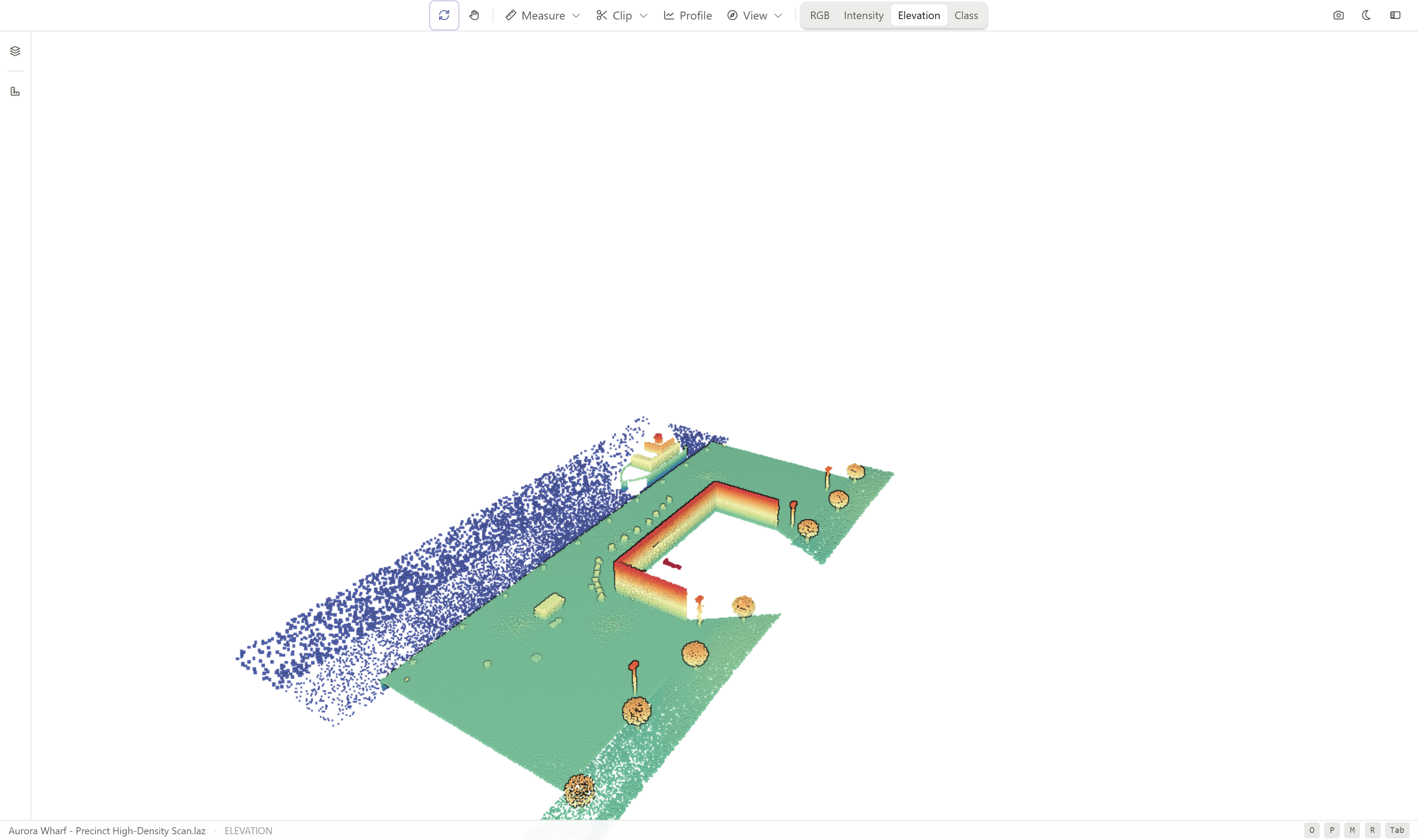
View and mark up drawings, models, and Office files on desktop and from the field. No CAD licence, no download. Rift opens drawings and PDFs, Foundry opens BIM models, and Nimbus opens point clouds.
- Open DWG, DGN, RVT, PDF, Office files, images, and point clouds.
- Measure distances, areas, and counts straight on the drawing.
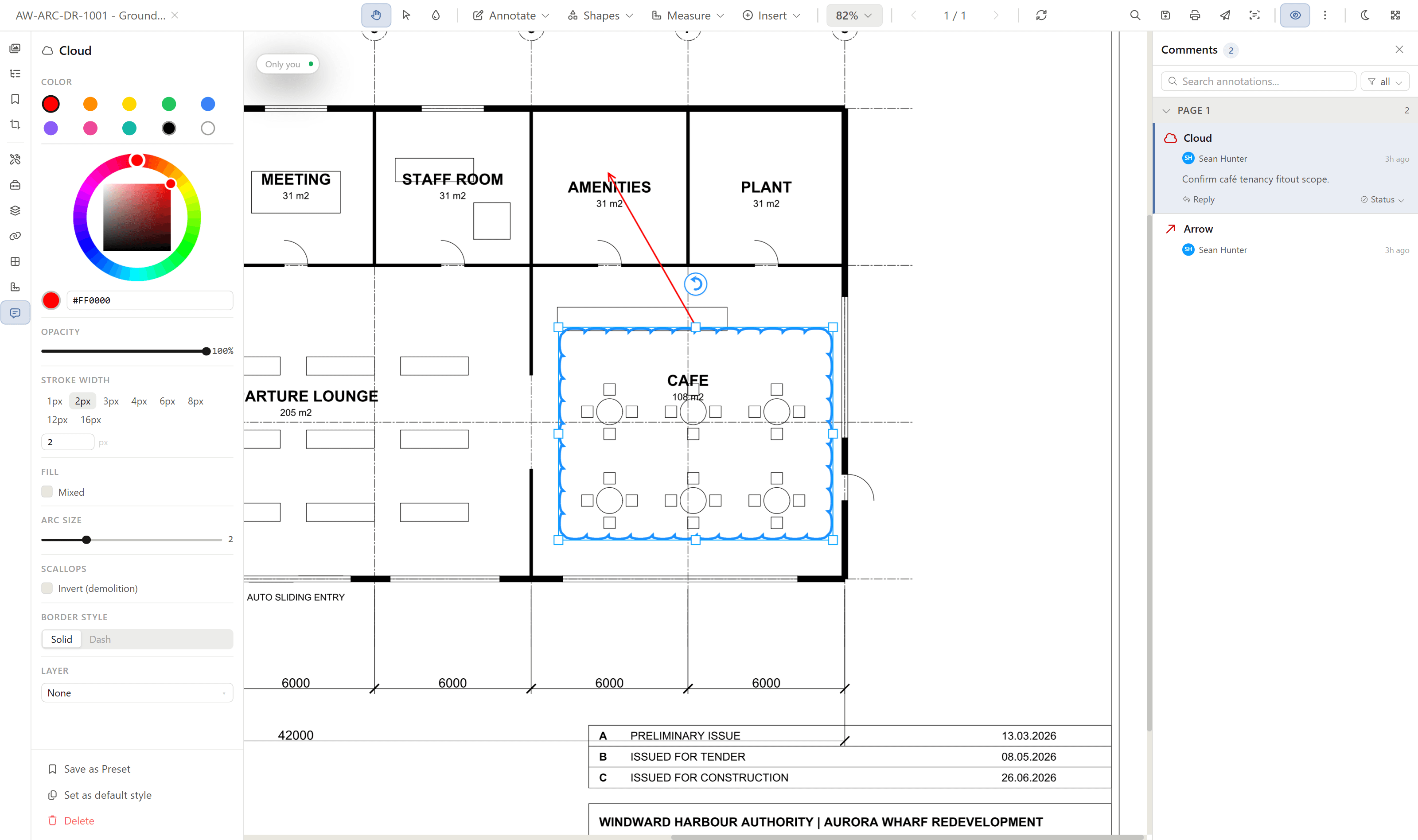
- Mark up with clouds, callouts, and stamps, then tie comments to the markup.
- Check a drawing from the field on mobile.
DWG · DGN · RVT · PDF · Office · images · point clouds | measure · markup · stamps · layers · live cursors | desktop and mobile
See who else is in the drawing.
Review a drawing together in real time. Everyone in the drawing has a cursor in their own colour, so you see who is looking, where they are pointing, and the comments they leave as they leave them.
live cursors · a colour per person · presence · shared markup and comments
Take a measurement off the model.
Foundry measures on the geometry itself. Pick two points for a length, a face for its area, or a solid for its volume, and read the figure straight off the model.
lengths · areas · volumes · measured on the model geometry
Find documents by where they are.
Geo-tag documents and plot them on a live map. Draw a boundary to pull back everything inside it, or browse from where you stand on site.
- See every geo-tagged document on the map, clustered by location.
- Render your ArcGIS Online layers live on the map, with nothing copied out of the GIS.
- Toggle a streets or aerial basemap.
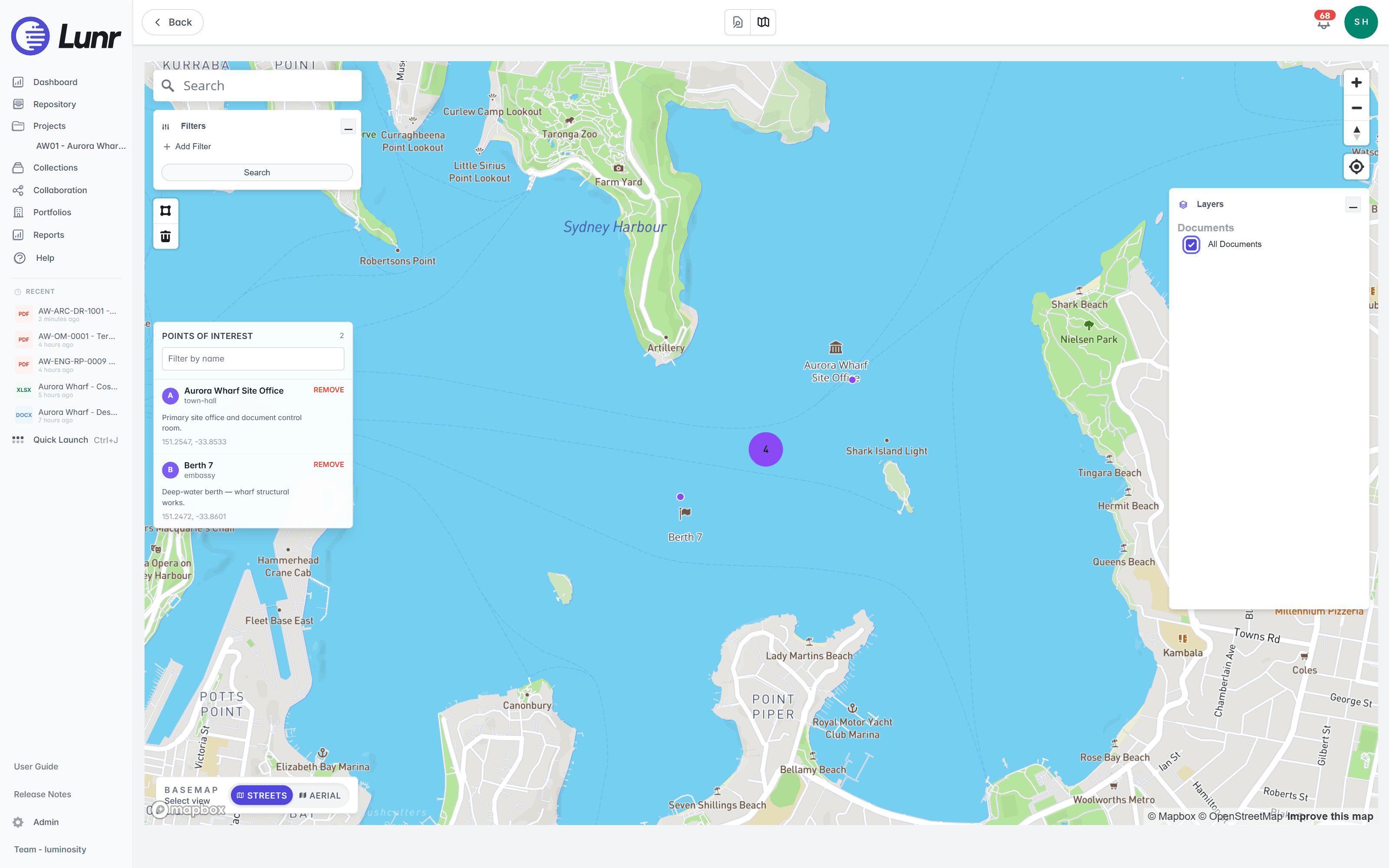
- Draw a polygon around an area, and Lunr returns every document inside it.
- Geo-tag a document from your current location on site.
- Hold a location for every asset a drawing covers, synced from your GIS.
geo-tagged documents · polygon search · live ArcGIS layers · per-asset locations · on-site discovery
See the Esri connectorCheck ADAC submissions before the assets land.
Councils and utilities take as-constructed asset data from developers as an ADAC XML file and the drawings of the same works. Lunr validates both against the standard configured for the project, and holds handover until the findings clear.
Deterministic ADAC XML checks: schema, mandatory attributes, value lists, and business rules such as invert levels and cover depths.
DWG geometry read and reconciled against the XML in real-world coordinates, catching missing assets, positions, lengths, and layer conformance.
Plain-English advice on what a finding likely means and what to ask the submitter, supporting the reviewer's decision rather than making it.
versioned project-tied standards · admin maintained with approval control · findings as validation errors · as-constructed gate · compliance reporting by project and asset class
go deeper /ADAC validationThe rest of the platform.
Segment the repository into portfolios for targeted search and reporting.
Check CAD and BIM files for title blocks, XREFs, styles, and missing fonts.
Every revision numbered in sequence, with a clear history of each change.
Connect OneDrive to move files in and out of the repository.
A full audit log on every controlled document, from first draft to handover.
Jump to any document with quick launch and keyboard shortcuts.
Lunr connects to Esri, Archibus, MazeMap, SISfm, and OneDrive, with read-write CAD APIs for DWG, DGN, and Revit. See the connectors.
Get every drawing under control.
Book a walkthrough with someone who knows what a transmittal and an as-constructed drawing are.
10M+ documents under management · Hosted in Australia and the US · SAML · Full audit trail · Export anytime
- entity
- Lunr Labs Pty Ltd
- location
- Melbourne AU
- workspace
- documents.lunr.app
- rev
- 2026