Search the text inside the drawing.
XRAY runs OCR and AI across everything you store. It reads the pixels, so a valve tag printed on a scanned 1994 drawing turns up as fast as a file you saved this morning. Incumbent search reads the filename. XRAY reads the drawing.
University of Canberra · XRAY captured additional information from scanned images
OCR and AI across everything you store.
XRAY indexes the words inside the document, not just its name and tags. A drawing scanned decades ago is as findable as a DWG uploaded today, and the text it recognises stays searchable across the whole repository.
- Full-text search across DWG, DGN, RVT, PDF, Office files, and scanned images.
- OCR and AI read the content of a scanned drawing, so the text printed on the sheet is searchable.
- See the OCR overlay in the viewer, and download the recognised text for a document.
- Get results back as rendered thumbnails, so you recognise the drawing before you open it.
full-text OCR and AI · scanned images · OCR overlay in viewer · OCR content download · rendered thumbnails
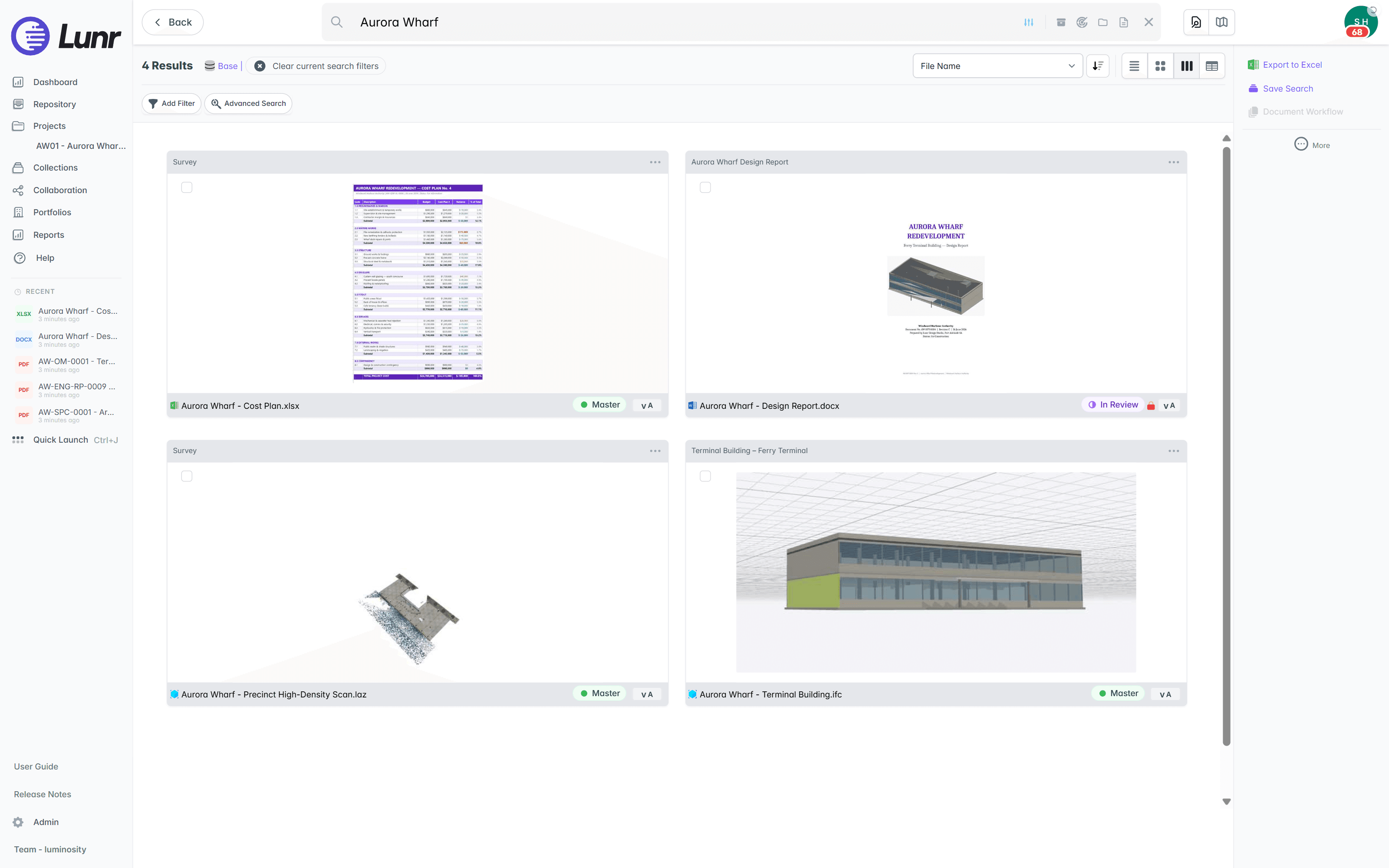
- Find every occurrence of a term inside a document, page by page.
- Jump straight to a match, with the surrounding text shown in context.
- Search the words on the sheet, even where the source is a scan.
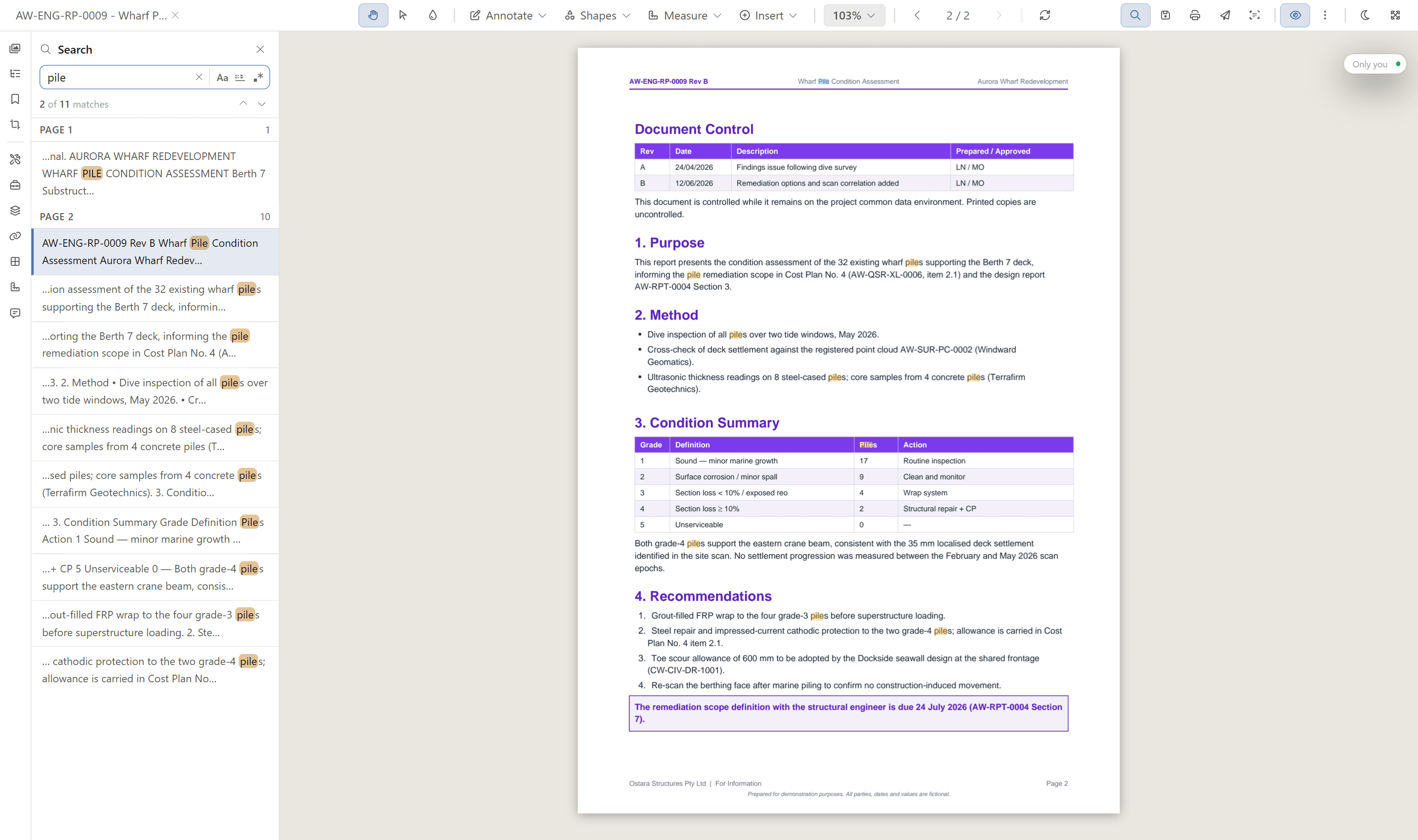
When one pass is not enough, scan deeper.
Some sheets are dense: a schedule packed with tags, a congested detail, small text a single scan under-reads. Deep XRAY re-scans the page at high resolution, tile by tile, from 2×2 up to 4×4 tiles per page, and surfaces the hits the first pass missed.
tiled high-resolution re-OCR · 2×2 up to 4×4 tiles per page · for dense drawings · a deliberate second pass
Search built for how you actually look.
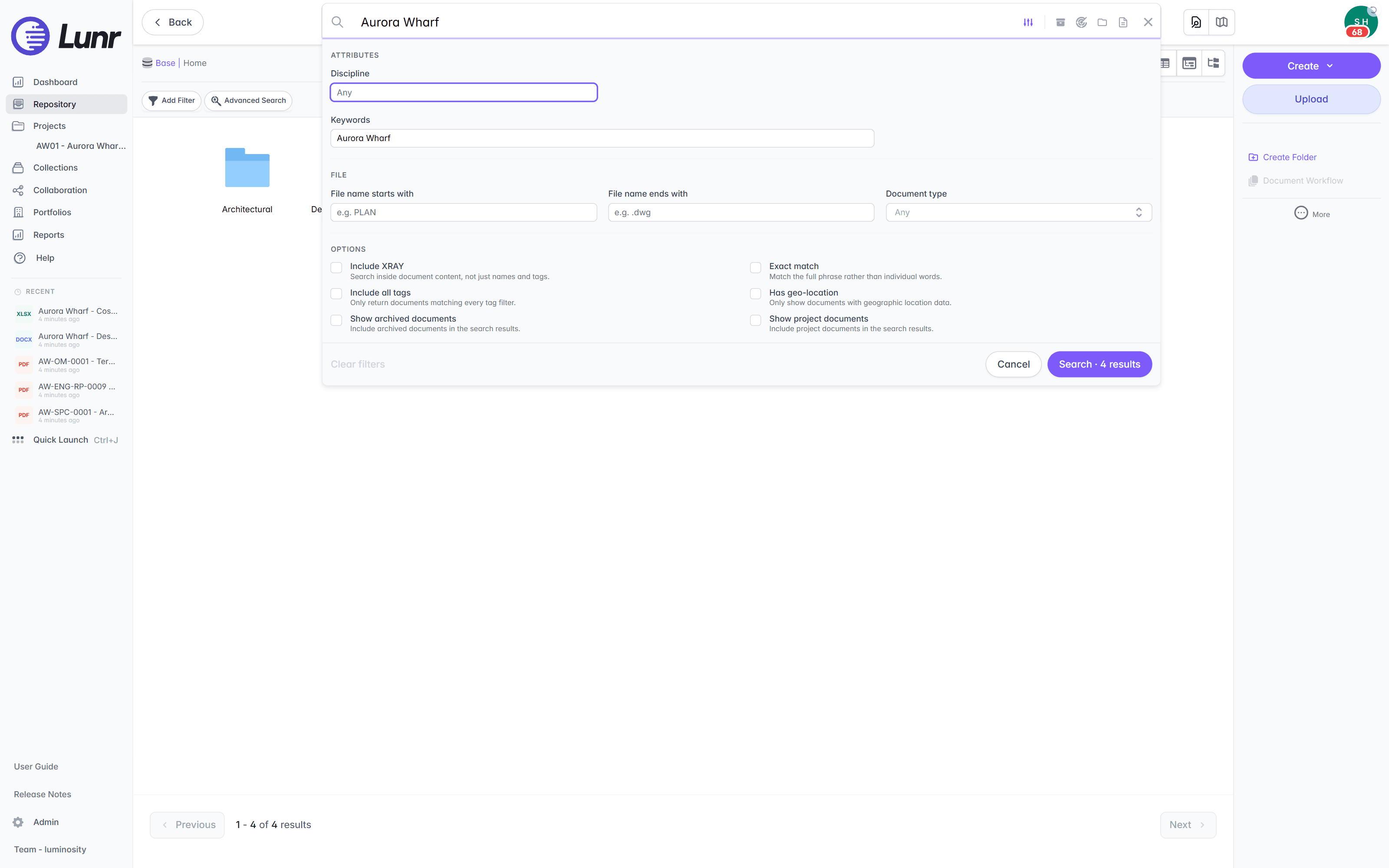
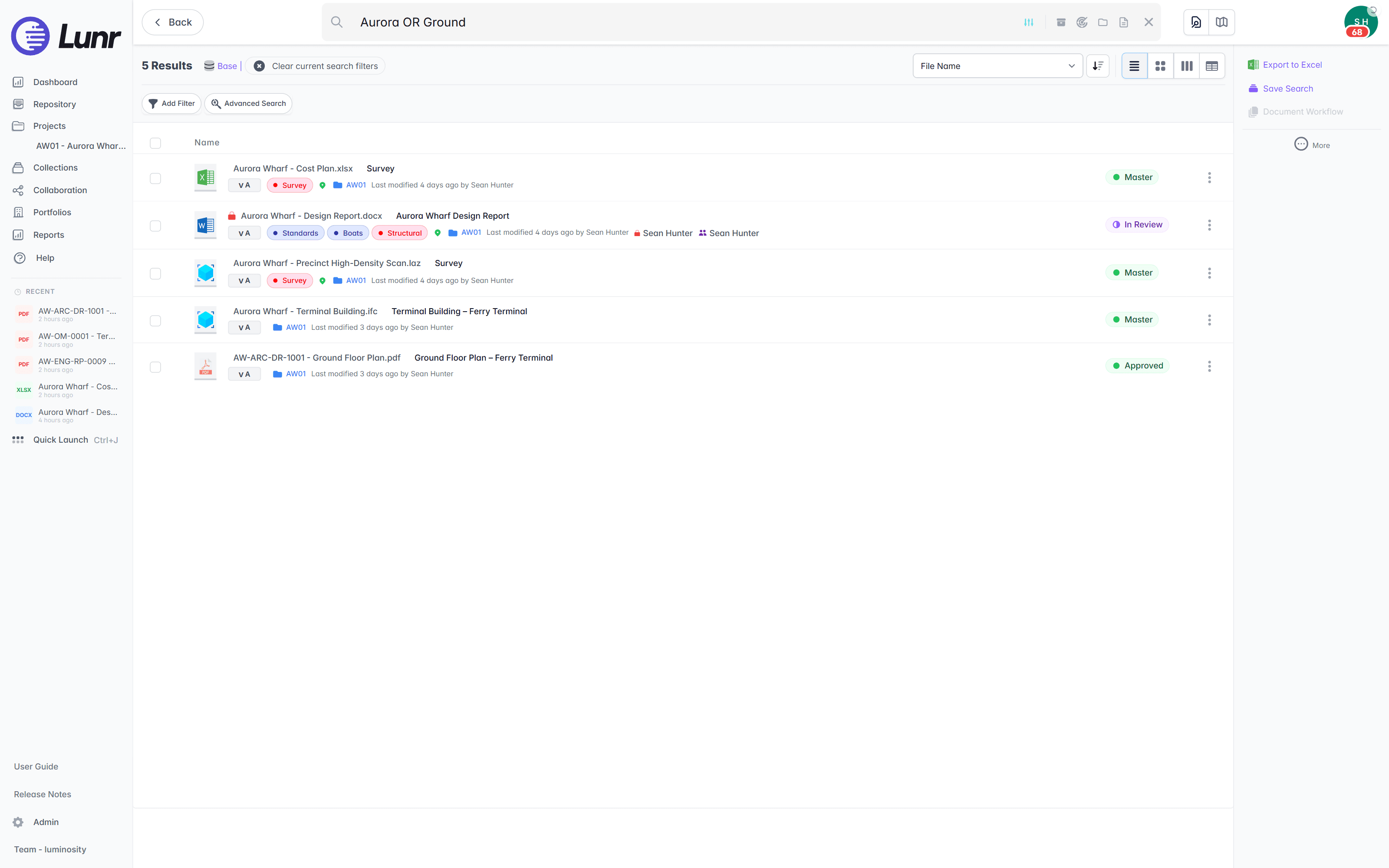
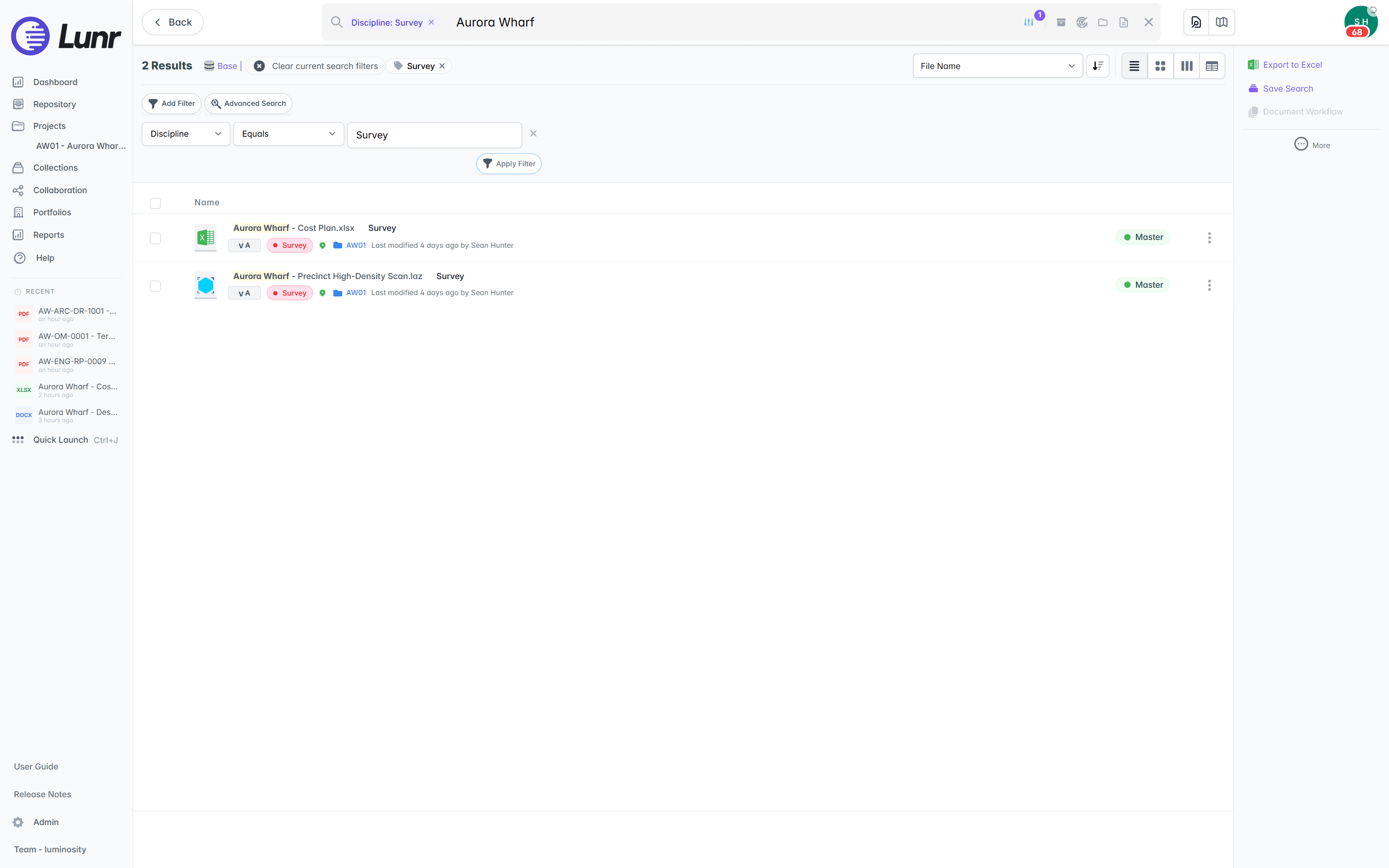
Configure advanced search around the tags and metadata that matter to your data, then narrow with the tools you expect. Save the searches you run often, and pick up where you left off with your search history.
- Configure advanced search around your disciplines, file-name patterns, and document types.
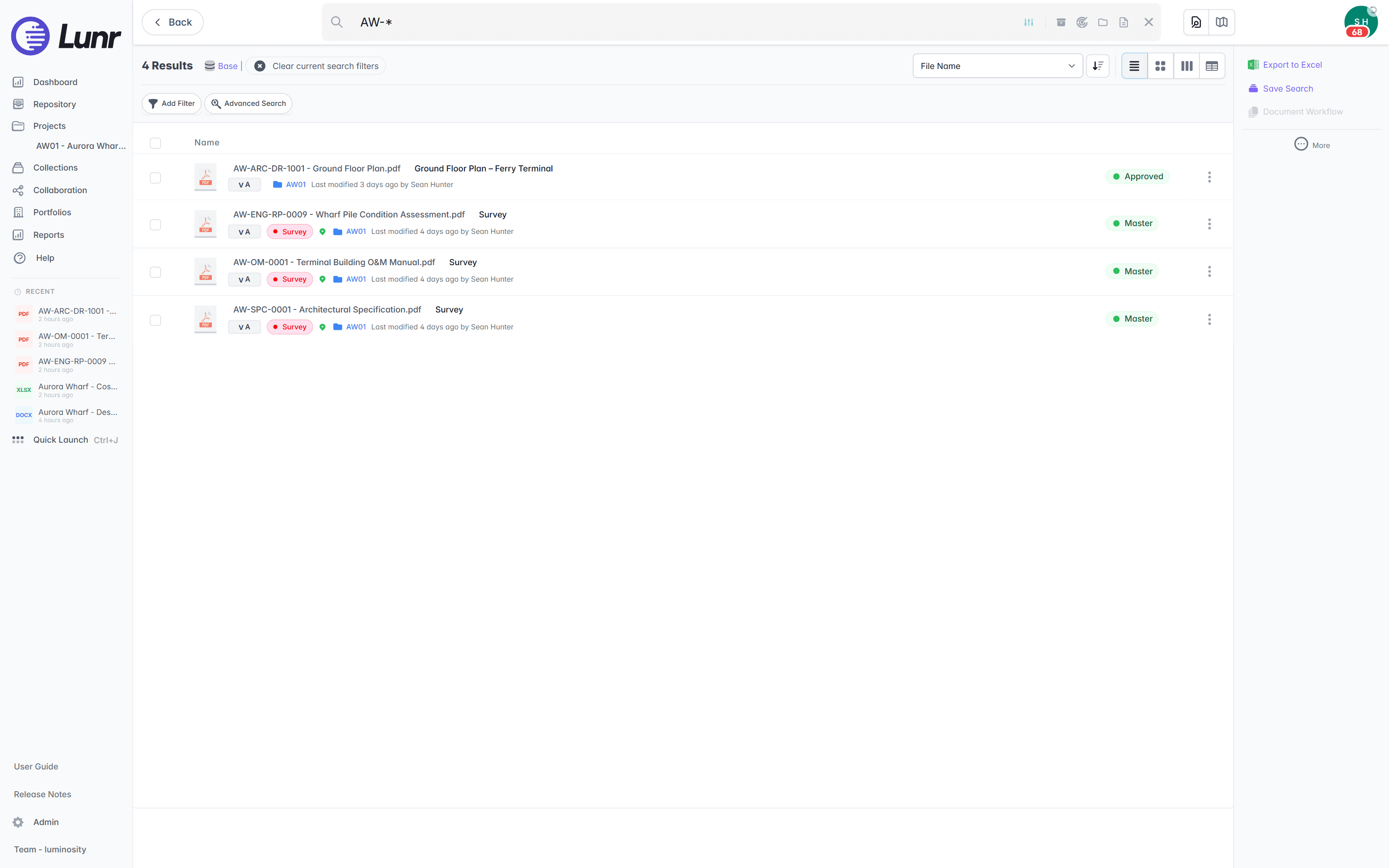
- Run wildcard and boolean queries to widen or tighten a search.
- Narrow results with tag filters, and turn XRAY on to search inside the content.
- Save quick-search properties, and return to a recent query from your search history.
advanced search · wildcard and boolean · tag filters · saved quick-search · search history · paged results
Search by where it is, not only what it says.
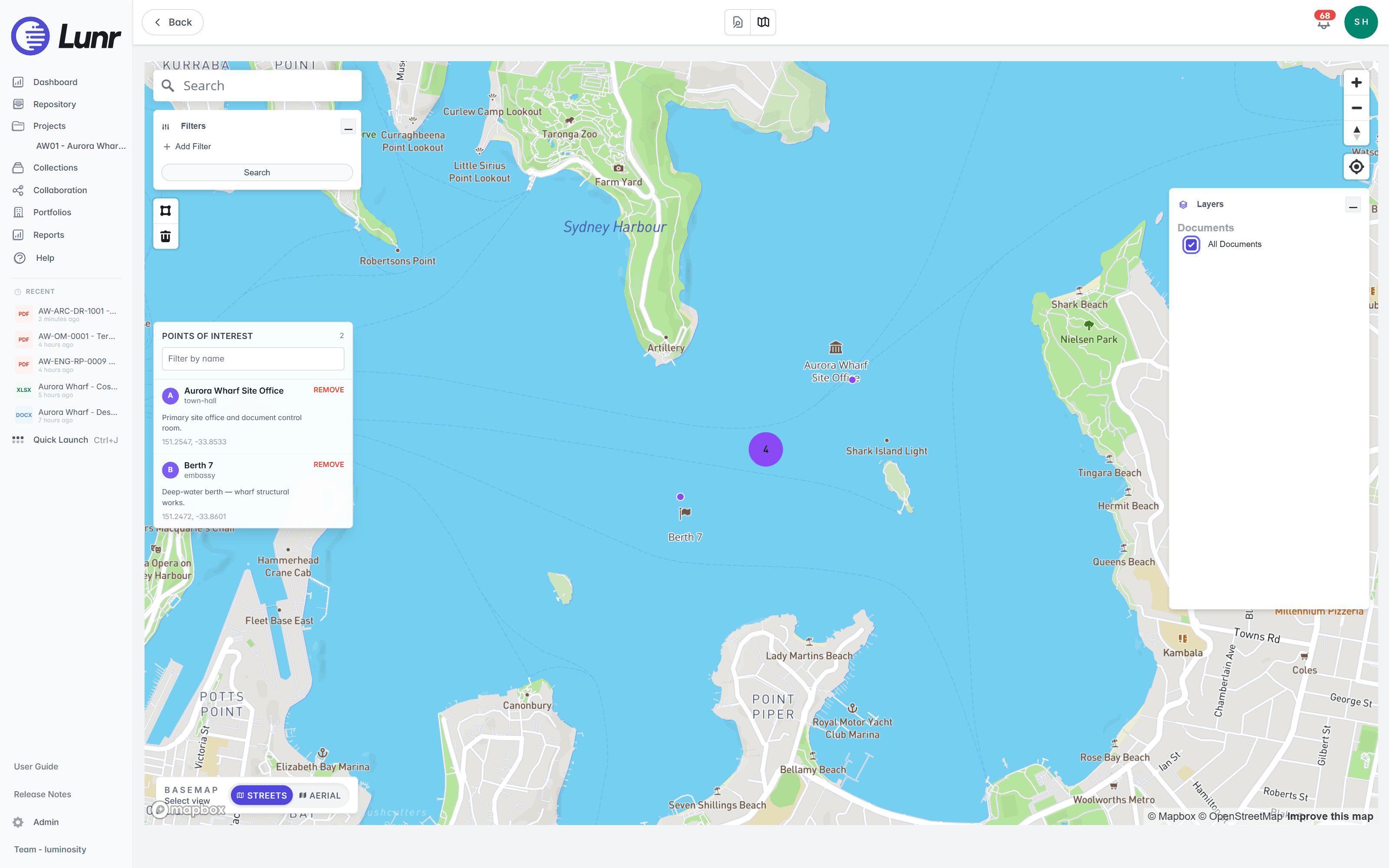
Geo-tag documents and plot them on a live map. Draw a boundary to pull back everything inside it, or browse from where you stand on site. Text search and map discovery are two ways into the same record.
- See every geo-tagged document on the map, clustered by location.
- Draw a polygon around an area, and Lunr returns every document inside it.
- Render your ArcGIS Online layers live on the map for asset context.
Questions teams ask about XRAY search.
What XRAY reads, how Deep XRAY differs, and how to narrow a search.
- What is XRAY?
- XRAY runs OCR and AI across everything you store, so the text printed inside a drawing is searchable, not just its name and tags. It reads the pixels on the sheet, so a valve tag on a scanned 1994 drawing turns up as fast as a DWG you saved this morning. XRAY indexes the words inside DWG, DGN, RVT, PDF, Office files, and scanned images.
- Can XRAY search the text inside a scanned drawing?
- Yes. OCR and AI read the content of a scanned drawing, so the words printed on the sheet are searchable across the whole repository. A drawing scanned decades ago is as findable as a file uploaded today. At the University of Canberra, XRAY captured additional information from scanned images that a filename search would have missed.
- What is Deep XRAY, and when should I use it?
- Deep XRAY is a deliberate second pass for dense sheets: a schedule packed with tags, a congested detail, or small text a single scan under-reads. It re-scans the page at high resolution tile by tile, from 2×2 up to 4×4 tiles per page, and surfaces the hits the first pass missed. Use it when one pass is not enough.
- What file types can XRAY search?
- XRAY runs full-text search across DWG, DGN, RVT, PDF, Office files, and scanned images. Results come back as rendered thumbnails, so you recognise the drawing before you open it, and you can see the OCR overlay in the viewer or download the recognised text for a document.
- How do I narrow a search?
- Configure advanced search around your disciplines, file-name patterns, and document types, then run wildcard and boolean queries to widen or tighten the result. Narrow with tag filters, and turn on Include XRAY to search inside the content. Save quick-search properties, and return to a recent query from your search history.
- Can I find a document by where it is, not only what it says?
- Yes. Geo-tag documents and plot them on a live map, clustered by location. Draw a polygon around an area and Lunr returns every document inside it, or browse from where you stand on site. Text search and map discovery are two ways into the same record, and your ArcGIS Online layers render live on the map for asset context.
Search the text inside every drawing you own.
Book a walkthrough and watch XRAY read a scanned drawing in real time, then run Deep XRAY over a dense sheet.
10M+ documents under management · Hosted in Australia and the US · SAML · Full audit trail · Export anytime
- entity
- Lunr Labs Pty Ltd
- location
- Melbourne AU
- workspace
- documents.lunr.app
- rev
- 2026