Open a DWG in a browser tab.
View DWG, DGN, and PDF drawings, read Word and Excel, and navigate an IFC model, all in one workbench in the browser. Pick a document from the register and it opens in the live viewer its format needs. No CAD licence, no download, and no plugin to install.
One workbench, every format.
Rift, Rift Word, Rift Excel, and Foundry all run here, live in the browser. Pick a drawing, a document, a spreadsheet, or an IFC model from the register and drive it. Only the engine that document needs loads, and it opens in the same working surface.
 Preview
noteEvery document above opens live in the browser. Orbit the model, switch sheets, scroll the report; then book a demo to drive them on your own files.
What each engine does.
Four engines, one shell. Open any of them in the workbench above, or read what each one brings to a drawing, a document, a spreadsheet, or a model.
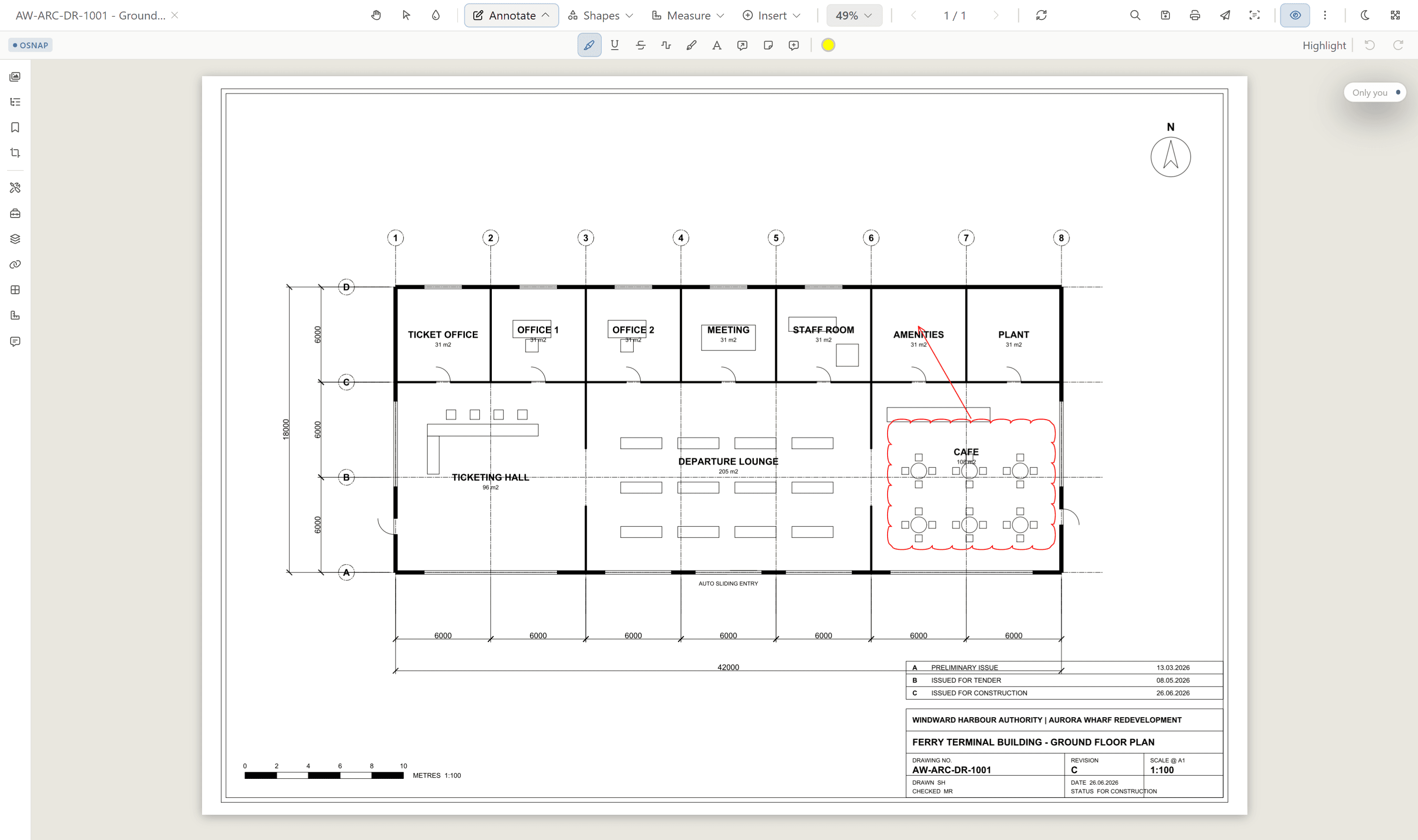
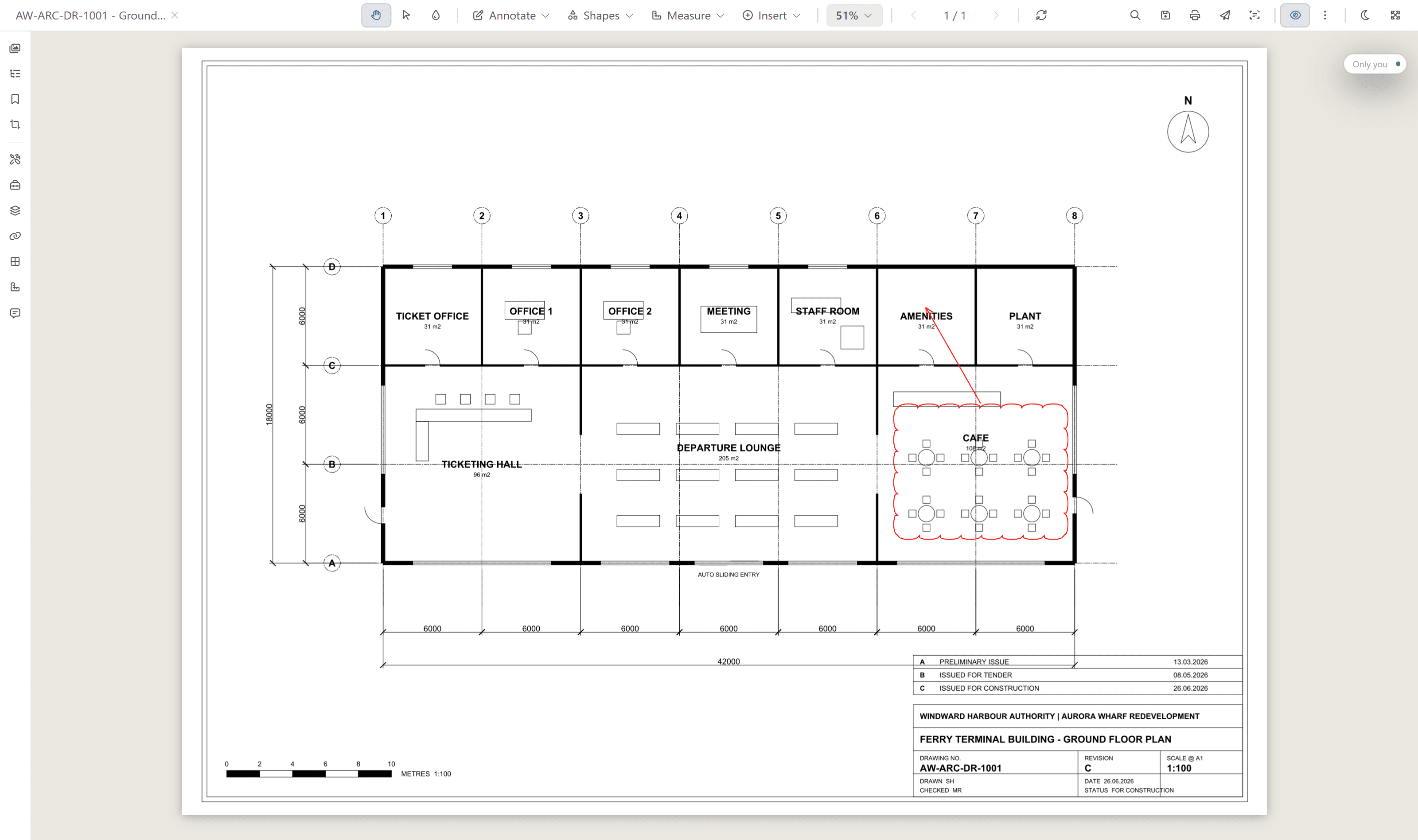
Rift · drawings and PDF
Open DWG, DGN, and PDF in a browser tab, with no CAD licence and no download. Measure distances, areas, and counts straight on the drawing.
Mark up with clouds, callouts, and stamps, redline in Signal, then compare two revisions side by side, as an overlay, or as a pixel diff.
measure · Signal redline · stamps · signatures · compare · full-text search
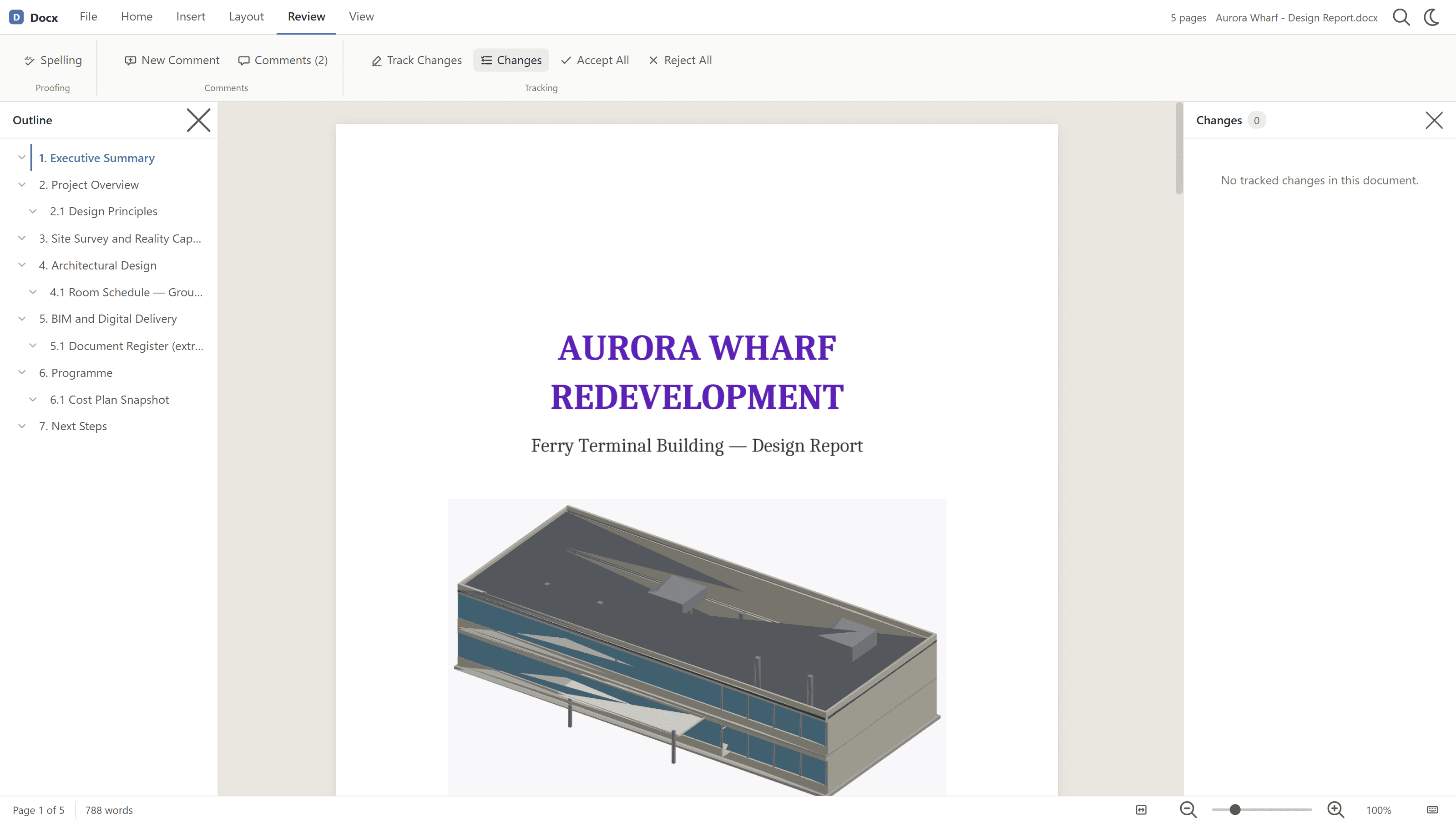
Rift Word · Office documents
Read DOC and DOCX natively in the browser, with the ribbon and status bar you expect, and no Office licence.
Follow track changes by author, so a marked-up design report opens the same way whoever sent it.
native rendering · track changes by author · desktop and mobile
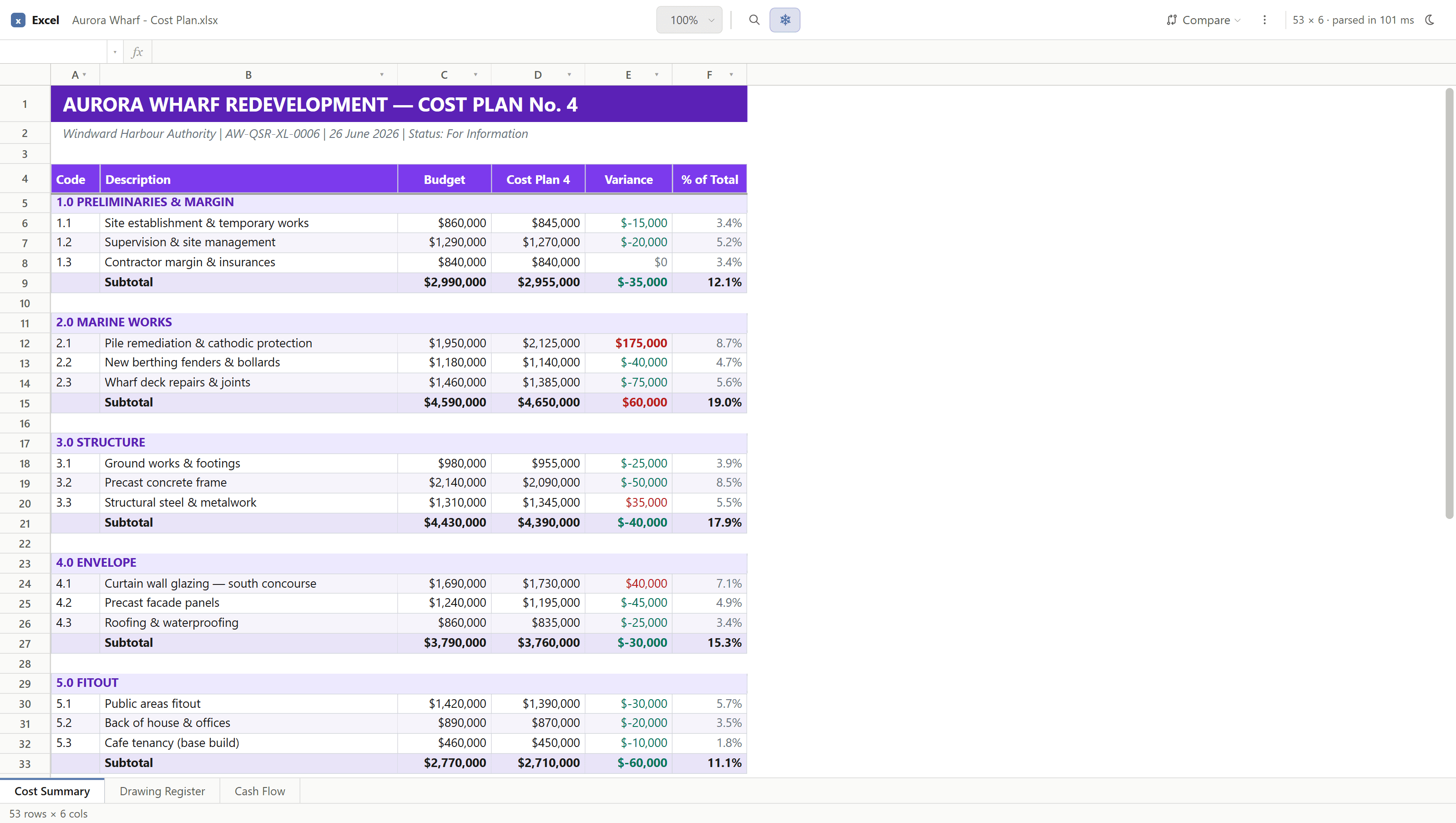
Rift Excel · spreadsheets
Open XLS and XLSX with worksheet tabs intact, without an Office licence.
Switch sheets and read every formula result in the browser, from the cost plan to the room data sheets.
worksheet tabs · formulas · no Office licence
Foundry · BIM and IFC
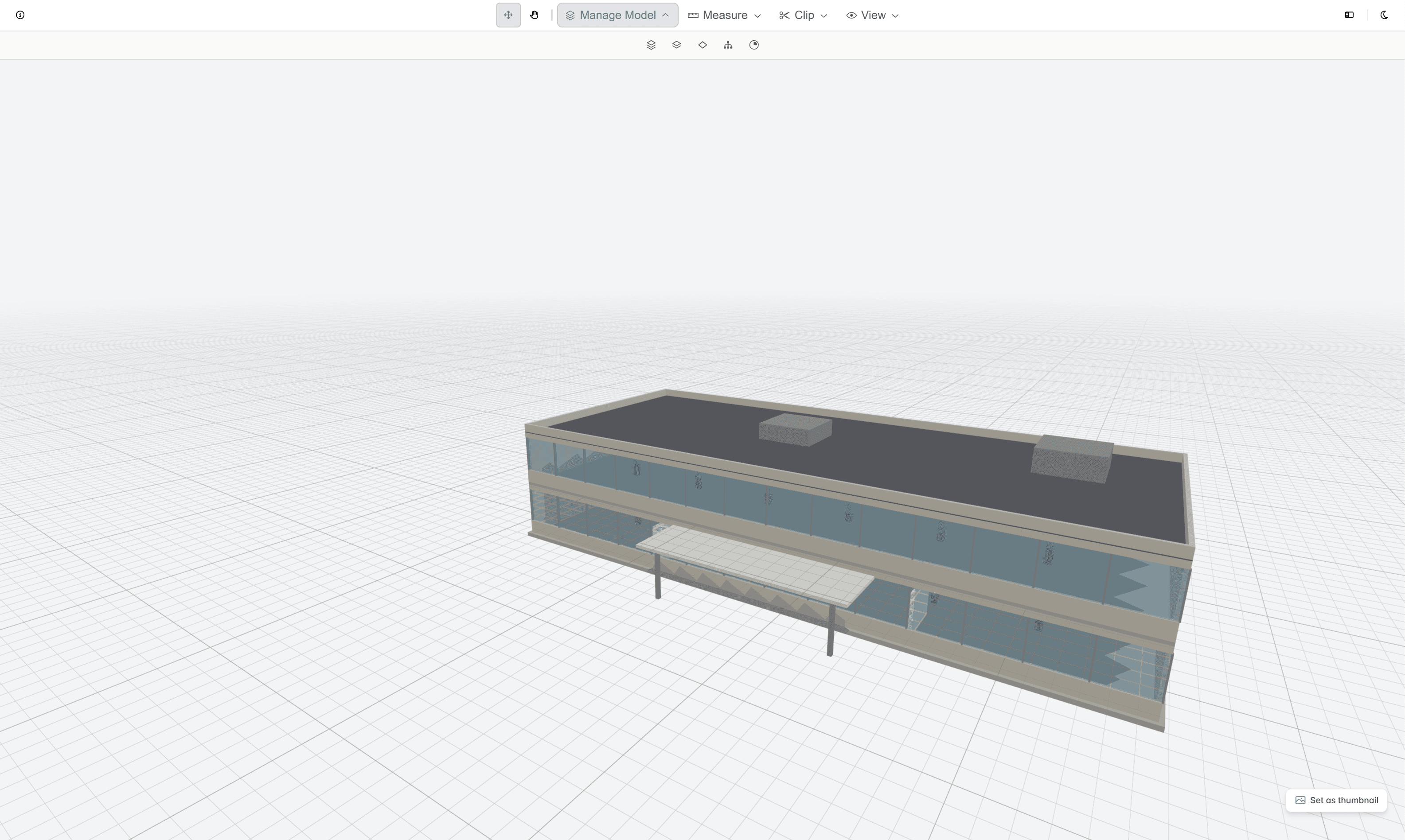
Navigate IFC and BIM models in the browser, with no desktop viewer to install. Orbit, pan, and walk the model, then frame any element.
Cut a section with a clipping plane, inspect the model tree and item properties, and measure lengths, areas, and volumes on the geometry.
navigation · clipping planes · measurement · model inspector · classifier
Cut a section through the model.
Set a clipping plane in Foundry and move it through an IFC model. Everything in front of the plane comes away, so you can read the structure inside, level by level. It runs in a browser tab, with no CAD licence and no download.
One viewer, every format.
Rift, Rift Word, Rift Excel, and Foundry all run on the Nebula shell, so switching from a drawing to a spreadsheet to a model never means learning a new viewer.
Every reviewer's cursor shows live on the document, the presence you know from design tools, brought into the document register.
Hold two revisions of a drawing side by side, fade one over the other, or read a pixel diff of exactly what changed.
Open a drawing on a laptop in the office, or pull it up on a phone from the field.
No CAD or Office licence, no download, and no browser plugin to install to view a file.
The viewers run in a mobile browser. For work on site, Lunr also has native apps for iPhone and Android that scan the QR on a printed sheet and download documents for offline access.
The viewer is one part of the platform. See how it sits alongside revision control, XRAY search, and handover on the features page.
Drive the viewers on your own drawings.
Book a walkthrough and open your own DWG, IFC, and Office files in the browser, with someone who knows what a transmittal and an as-constructed drawing are.
10M+ documents under management · Hosted in Australia and the US · SAML · Full audit trail · Export anytime
- entity
- Lunr Labs Pty Ltd
- location
- Melbourne AU
- workspace
- documents.lunr.app
- rev
- 2026