Document control software that shows who approved what, and who was told.
For the document controller who answers for the register. Hold every controlled document in one register, route reviews and approvals, issue controlled copies, mark superseded revisions, and keep the evidence an audit asks for on the record.
Drawings are one document type in that register. For CAD formats, browser viewing, and comparing two revisions of a sheet, read drawing management software.
10M+ documents under management · Approvals, revisions, and issues logged · SAML · Hosted in Australia and the US
A spreadsheet register holds no evidence of control.
Most document control still runs on a register in Excel, next to a folder of PDFs. The register lists numbers and titles well enough. The evidence of control sits everywhere else: approvals in an inbox, issues in sent items, the superseded copy in someone’s downloads folder, and the reasoning in one person’s memory.
Lunr is a document control system where the register, the approvals, the issue records, and the audit trail sit on one record. Ask who approved revision C, or who was sent it, and the answer is on the document.
Read what makes a document controlled- 01Which revision was current on the day that work was done?
- 02Who reviewed and approved this document, and on what date?
- 03Who holds the superseded copy, and were they told it changed?
- 04Which documents are still waiting on review, and with whom?
- 05Show every change made to this document, with the name behind each one.
One register, and every controlled document sits in it.
The register is the single source of truth for what exists, which revision is current, and what state each document is in. Book a document in, and Lunr applies your numbering convention, files the record in the register, and gives it a status the whole organisation reads the same way.
- Automatic numbering applies your register format, prefix, and sequence as documents are booked in.
- Drawings, specifications, reports, manuals, certificates, and asset records all sit in the one register.
- Metadata fields and tags match your register columns, so each record carries what your convention asks for.
- Filter the register by project, discipline, status, or revision, and search the text inside documents with XRAY.
automatic numbering · one register · metadata and tags · document status · filter, search, and export
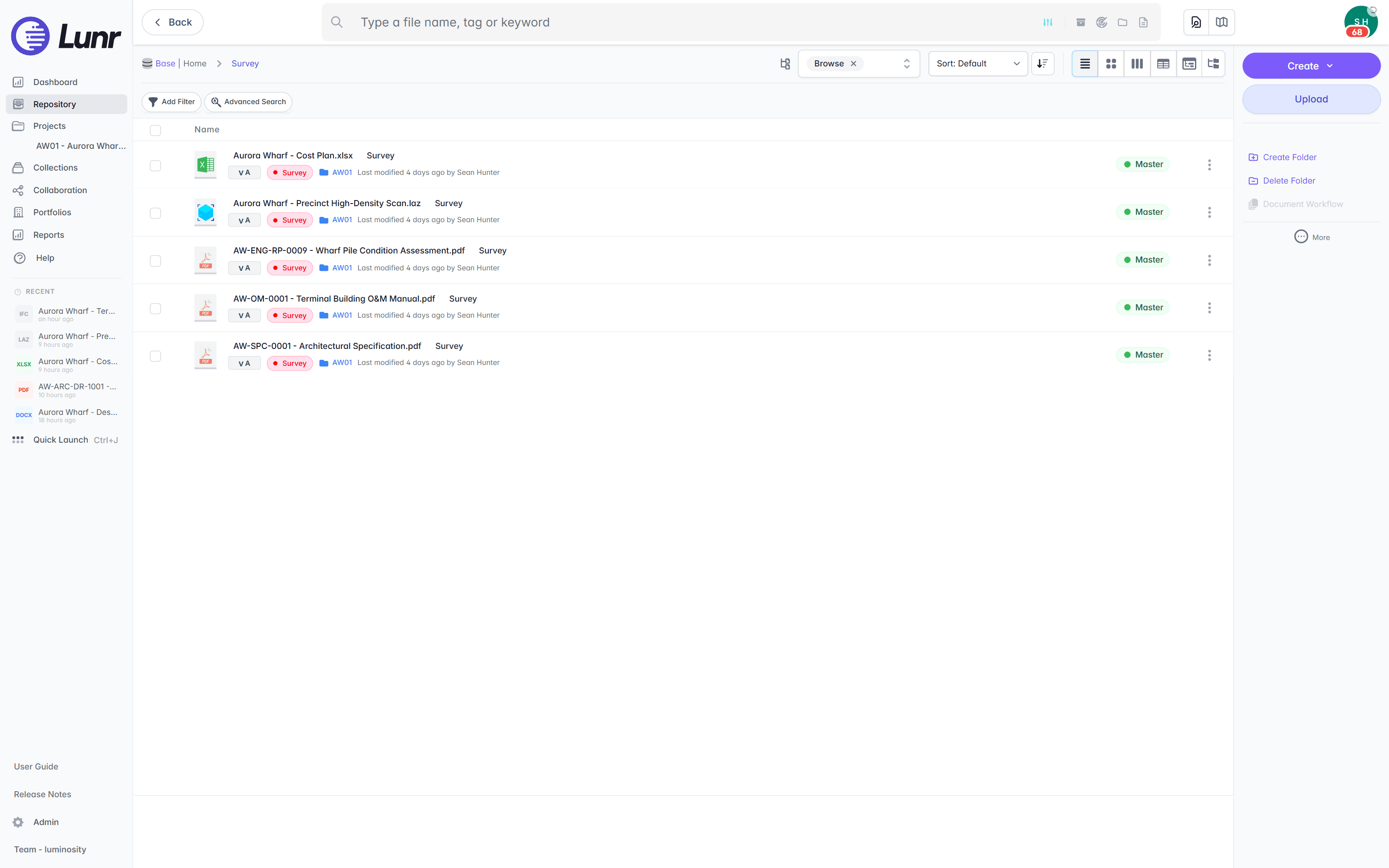
Drawing revision control, and the same discipline on every other document.
Every controlled document carries its revision history, with the current revision stamped on the record and each earlier revision kept and labelled superseded. A revision on a drawing reads the same way as a revision on a specification, a manual, or a certificate, because one scheme runs across the register.
- The current revision is stamped on the record, so the register never disagrees with the file.
- The superseded copy stays on the record, labelled, so it is never issued in place of the live one.
- Revision numbering follows your scheme, letter or numeric, applied as each revision is booked in.
- The history stays for the life of the asset, so a change made years ago still traces to a person and a date.
revision history · current revision · superseded labelling · revision numbering · retained history
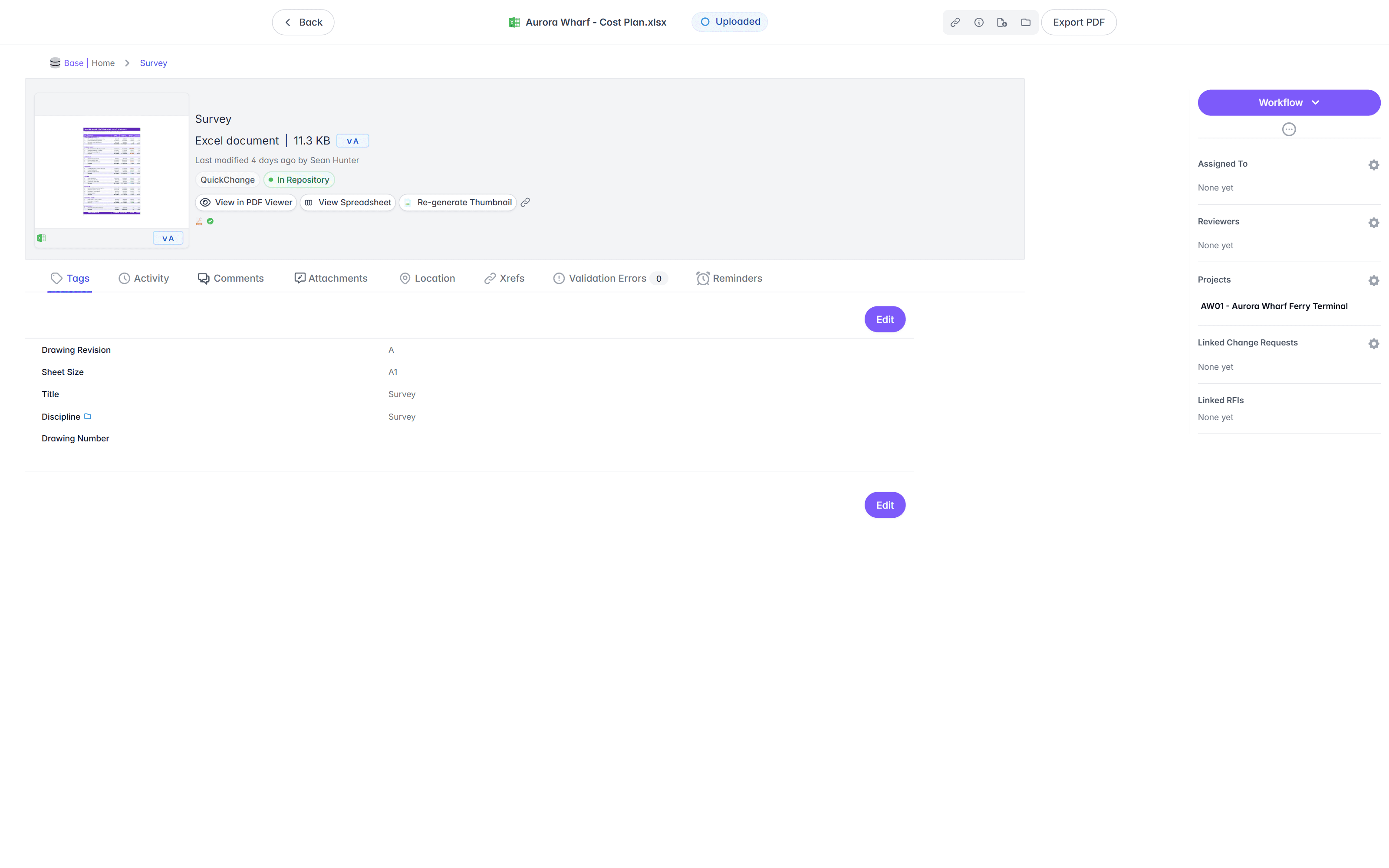
Every approval carries a name, a date, and a revision.
Move each controlled document through the review and approval workflow you configure. Assign reviewers, hold the document at each stage until it is cleared, and stamp the approved revision as the one the register serves. The status on the record is the status the whole organisation works to.
- Configure review and approval workflows to match how your team signs a document off.
- Assign reviewers and approvers, and hold the document at each stage until it is cleared.
- The approved revision records the approver and the date, and the register serves that revision.
- Raise a change request against a controlled document, and track it until it closes.
configurable workflows · assigned reviewers · recorded approvals · change requests · document status
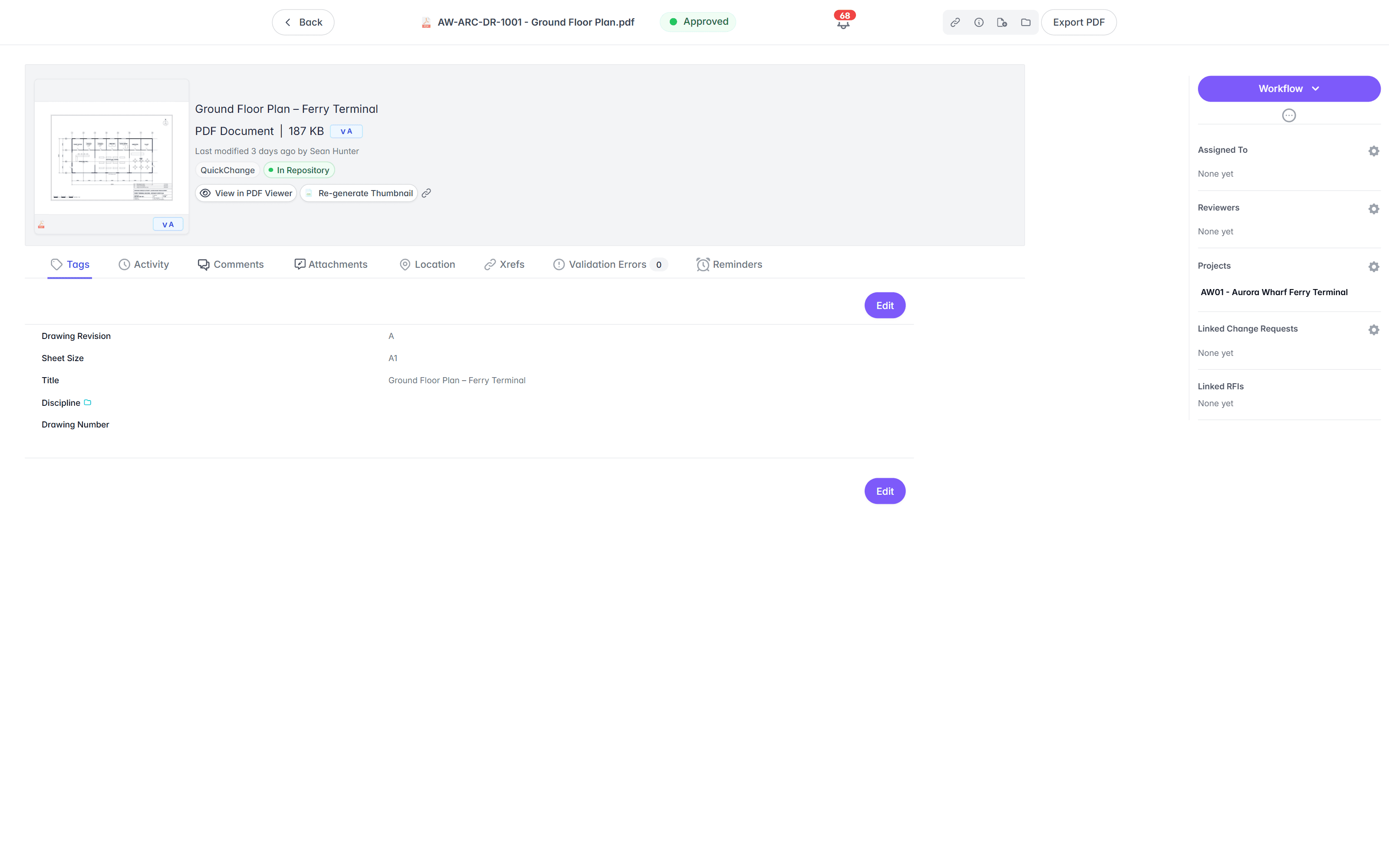
Issue a controlled copy, and know who is holding it.
Send documents out on a transmittal and Lunr keeps the issue record: which documents went, at which revision, to whom, and on what date. When a new revision supersedes what someone holds, reissue, and the register shows who was still on the old copy.
- Issue a transmittal covering a set of documents at their current revision.
- The issue record holds the recipient, the date, the purpose of issue, and the revision sent.
- Reissue when a revision changes, so every holder is told and the record shows who was.
- A printed copy is uncontrolled the moment it leaves the register, so the register stays the place to check.
transmittals · recipients · purpose of issue · revision sent · reissue on change
- TR-000714 Jul 2026AW-ARC-DR-1001Rev D
Issued to Ostara Structures
- TR-000609 Jul 2026AW-ENG-RP-0009Rev B
Issued to Windward Geomatics
- TR-000502 Jul 2026AW-SPC-0001Rev A
Issued to Dockside JV
- TR-000428 Jun 2026AW-OM-0001Rev A
Issued to Campus Estate FM
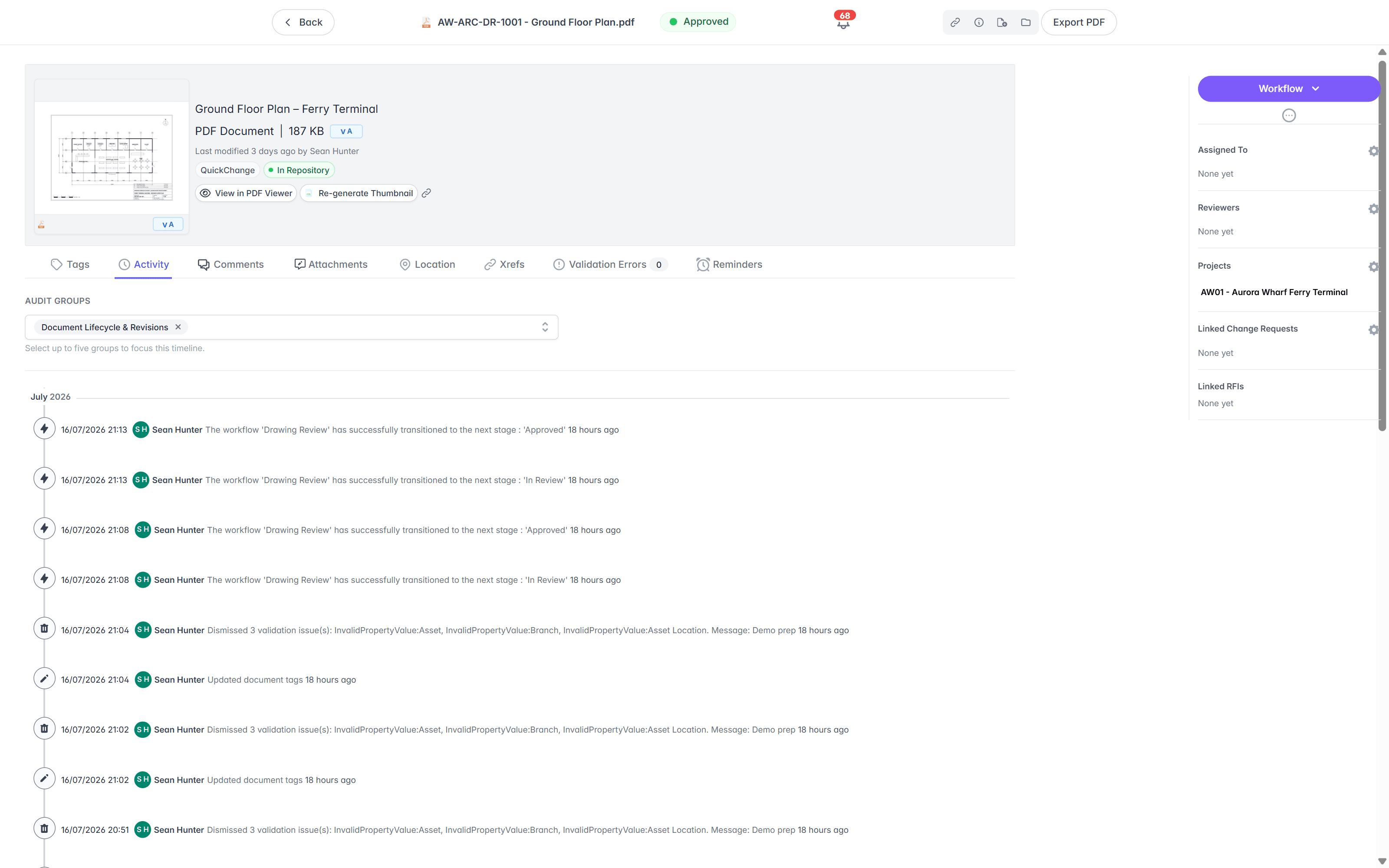
Every change carries the name of the person who made it.
Each workflow transition, revision, approval, issue, and tag edit lands on one timeline with the person and the time against it. Filter the timeline to the events an audit asks about, and export it, so evidence takes a lookup rather than a week of reconstruction.
- The trail on each controlled document logs the person, the action, and the time it happened.
- Workflow transitions, approvals, revisions, issues, and tag edits all land on the one timeline.
- Filter the trail to the events an audit asks about, and export the evidence.
- Nothing is deleted, so the record holds from the day you migrate through the life of the asset.
full audit trail · person and time · approvals logged · filter and export · retained record
Control who can read a document, and who can change it.
Control covers who holds the document as much as which revision they hold. Your own team sign in over SAML as Users. Contractors and consultants join as Collaborators and see only what you grant them by tag, so an external party reads the documents their work needs and nothing else.
- Your team signs in through your identity provider over SAML, so accounts follow the joiner and leaver process you already run.
- Contractors and consultants join as Collaborators through transmittals, RFIs, and project spaces.
- Tag-based permissions grant access by discipline, site, or project, for example every electrical document on one campus.
- Access rights are agreed in solution design and tested in UAT before anyone signs in.
SAML sign-in · users and collaborators · tag-based permissions · scoped external access
See how access is governed- Users
Your own team, signed in through your identity provider over SAML, with accounts that follow your joiner and leaver process.
- Collaborators
Contractors and consultants, joined through transmittals, RFIs, and project spaces, with access granted by tag.
- Permissions
Govern who sees a controlled document and who can change it, down to a discipline on a single site.
Bring the register you already keep.
Moving off a spreadsheet register and a shared drive is the usual starting point. Import in bulk with your existing numbers preserved, map your register columns to metadata fields, and load every revision, current and superseded, marked as it lands.
- Existing document numbers are preserved, and automatic numbering applies your format from then on.
- Every revision comes across, current and superseded, loaded and marked against its document.
- Register columns map to metadata fields, agreed in design workshops before any data moves.
- Export all documents and metadata at any time, so the record you migrate in stays yours.
bulk import · numbers preserved · revisions loaded · mapped metadata · export at any time
- 01Solution design
Workshops settle numbering, metadata, workflows, access, and every field mapping before data moves.
- 02Sandbox migration
Your own documents, metadata, and revision history load into a sandbox, reconciled against the source.
- 03Test environment and UAT
Your controllers test the real workflows, permissions, and searches on real migrated records.
- 04Production cutover
Training, go-live, and hypercare, with the audit trail running from the moment the register lands.
Controlled registers, kept for the life of the asset.
Universities, utilities, energy companies, and government departments keep their controlled register on Lunr, from the first project handover through decades of operation and audit.
documents under management on Lunr, each one numbered, revisioned, and logged.
Read the University of Canberra case study“Lunr is a simple solution that provides the flexibility to develop the system to our needs. Lunr is simple to use, and minimal training is required.”
Questions document controllers ask.
What a document control system does, how the register runs day to day, and what an audit can expect to see.
- What is a document control system?
- A document control system holds every controlled document in one register, with a clear current revision, superseded copies kept and marked, approvals routed and recorded, distribution tracked, and an audit trail behind every change. Lunr is a document control system for engineering organisations, so drawings, specifications, reports, manuals, certificates, and asset records all sit in the one register, and the number, the revision, and the file are a single record rather than three things kept in step by hand.
- What is the difference between document control and drawing management?
- Document control is the discipline that applies to every controlled document: numbering, revision status, review and approval, controlled distribution, and the audit trail that evidences all of it. Drawing management is that discipline applied to drawings, plus what only drawings need, such as opening a DWG or a DGN in the browser and comparing two revisions of a sheet. Lunr runs both from the one register, so a controller works in one place whether the record is a drawing, a manual, or a compliance certificate.
- What is the document controller's workflow in Lunr?
- Book a document in and Lunr numbers it to your convention. Route it through review and approval, and the approved revision becomes the one the register serves. Issue a transmittal to send it out, and the recipient, the date, and the revision are recorded. When a new revision arrives, the previous one is marked superseded and kept, and the audit trail records who changed what, and when. The controller works from the register rather than from a folder tree.
- How do we evidence document control to an auditor?
- Each controlled document holds an audit trail of its own. Every workflow transition, approval, revision, issue, and tag edit is logged with the person and the time on one timeline you can filter and export. Ask which revision was current on a given date, who approved it, or who was sent it, and the evidence sits on the record rather than in a mailbox.
- How does Lunr handle superseded copies?
- When a new revision is booked in, Lunr marks the previous revision superseded and keeps it on the record. The register serves the current revision, the superseded copy stays labelled so no one issues it by mistake, and nothing is deleted, so the history holds for the life of the asset. Reissue the document and the record shows who was still holding the old copy.
- Can Lunr apply our document numbering convention?
- Yes. Automatic numbering applies your register format, prefix, and sequence as documents are booked in, so numbers follow your convention without being typed by hand. Your existing numbers are preserved when you migrate, and metadata fields and tags match the columns your register already uses.
- Who can see a controlled document?
- Permissions govern who sees each controlled document and who can change it. Your team signs in through your identity provider over SAML, and external parties join as Collaborators through transmittals, RFIs, and project spaces, with access granted by tag. An engineer at a contractor reads the documents you grant them and nothing else.
- Can we move our register off Excel and shared drives?
- Yes, and it is the usual starting point. Import in bulk with your existing numbers preserved, map your register columns to metadata fields, and load every revision, current and superseded, marked as it lands. Export all documents and metadata at any time, so the record stays yours. The University of Canberra brought over 20,000 documents from SharePoint into a numbered register on Lunr.
See it on your own register.
Book a walkthrough with a team who has moved registers off spreadsheets before, and watch your own numbering, approvals, and issue records run in Lunr.
10M+ documents under management · Hosted in Australia and the US · SAML · Full audit trail · Export anytime
- entity
- Lunr Labs Pty Ltd
- location
- Melbourne AU
- workspace
- documents.lunr.app
- rev
- 2026